Photo requirements at a glance
Official specification summary for this document, verified against the issuing authority's requirements.
- Photo size
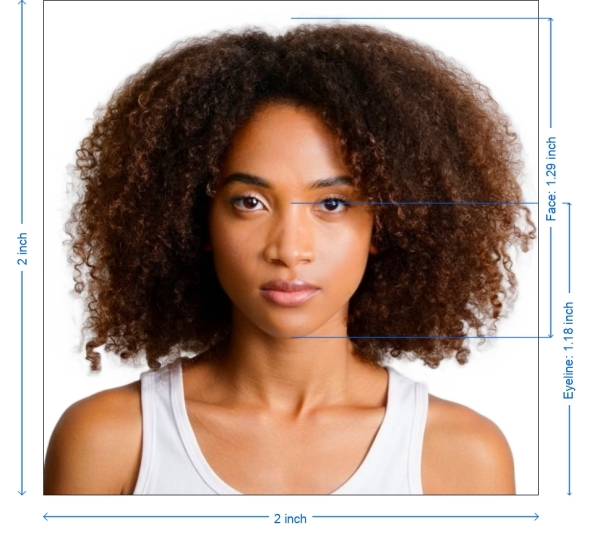
- 50.8x50.8 mm · 2x2 in
- Pixel size
- 600x600 px
- Resolution
- 300 DPI
- Background
- In color
- Head height
- 1.29 inch
- Eyes level
- 1.18 inch
- File format
- JPEG
- Glasses
- not allowed
- Expression
- Neutral, eyes open, mouth closed
Your US Employment Authorization Now (50.8 × 50.8 mm / 600 × 600 Pixels)
FreeUpload a selfie, and our photo converter resizes and crops it to the exact specifications automatically. Works on iPhone, Android and desktop — no studio visit required.
Drag to reposition · Scroll-free sliders below
or paste an image from your clipboard
Check this box if health issues affect your photo — a medical certificate is required.
Compliance
Human Photo Verification
A compliance expert reviews your photo and provides a report. 99.2% approval rate.
Print sheet (multiple copies)
2x2 in · 300 dpi · JPEG · United States
Batch processing — process multiple photos at once
0 loadedUpload several photos; they are all cropped to the current document size using the same background & adjustments, then downloaded together as a ZIP.
US Employment Authorization Photo
Simply upload a photo from your smartphone. We will turn it into a properly sized US Employment Authorization Photo that meets all the necessary requirements.


Source: official website www.uscis.gov
Get photo for: US Employment Authorization 2x2 inch (51x51 mm)
Drag to reposition · Scroll-free sliders below
or paste an image from your clipboard
Check this box if health issues affect your photo — a medical certificate is required.
Compliance
Human Photo Verification
A compliance expert reviews your photo and provides a report. 99.2% approval rate.
Print sheet (multiple copies)
2x2 in · 300 dpi · JPEG · United States
Batch processing — process multiple photos at once
0 loadedUpload several photos; they are all cropped to the current document size using the same background & adjustments, then downloaded together as a ZIP.
Follow these steps to create US Employment Authorization Photos without having to book an appointment with a photographer.
Choose Document Type. Select the type of document you need a photo for on PhotoGov.com, such as a passport or visa.
Take and Upload Photo. Capture your image. Upload it to our US Employment Authorization photo creator while following the image guidelines.
Make sure your photo looks perfect. Use our platform to enhance your picture quality. PhotoGov.com automatically adjusts your image according to standards, like lighting and composition.
Prepare your image for use by downloading it. Make use of it wherever you need.
Instructions and Size Criteria for Photos Needed for Employment Authorization in the United States
| Document | US Employment Authorization 2x2 inch (51x51 mm) |
| Country | United States |
| Type | Employment Authorization |
| Quality | 300 DPI |
| Background Color | White |
| Size | Width: 2 inch, Height: 2 inch |
| Compliance | Meets requirements |
| Image Definition | Clear and accurate |
| Printable | Yes |
| Suitable for Online Submission | No |

*Data from government agencies
US Employment Authorization Photo — Size and Requirements
Ensure your photo looks accurate when printed. Save it in the specified format. It's crucial to understand the specifications for passport and visa photos. Here are some common requirements:
Technical Requirements for Processing Photos Yourself (e.g., Photoshop):
Size
In the United States, an employment authorization photo must be 2x2 inches. Photos that don’t meet these requirements will need to be retaken. A green card application uses the same 2 x 2 inch format, and our green card photo requirements page lists the rest of the USCIS specifications.
Color
Photos must be in color to help officials identify you. The picture should be taken against a white or off-white background. Digital enhancement, including color balance adjustment, is not permitted.
Resolution and File Size
Your photo must be clear and high-quality. Use a resolution of at least 300 DPI, ideally between 300 and 600 DPI. A file size of 1 MB to 15 MB is recommended to ensure clarity.
Attire and Dress Code:
Wear everyday clothes. Avoid wearing uniforms or camouflage clothing. Do not wear headwear or glasses unless required for religious or other special reasons. Ensure your picture is well-lit and of high-quality.
To make the application process smoother it's crucial to follow the photo requirements for United States employment authorization.
Important details include
Photo (taken within the past month) that is 2x2 inches in size, with a simple background, good lighting, a neutral facial expression and a clear view of your full face.
Clarity is key. Make sure your photo is sharp and focused without any blurriness or distortion. Avoid pixelation issues by printing the picture on either matte or glossy photographic paper.
Background, Contrast and Shadows. Your photo should exhibit detail and strong contrast. Opt for a off white backdrop to ensure you stand out in the image. Minimize shadows on the face, for results.
Capturing Your US Employment Authorization Photo
You can easily snap your employment authorization picture at home by following these steps.
1. Take the Shot
Use PhotoGov.com to capture your photograph. Make sure you're not wearing any hats, sunglasses, uniforms and keep an expression. Stand in front of a background, in a lit area.
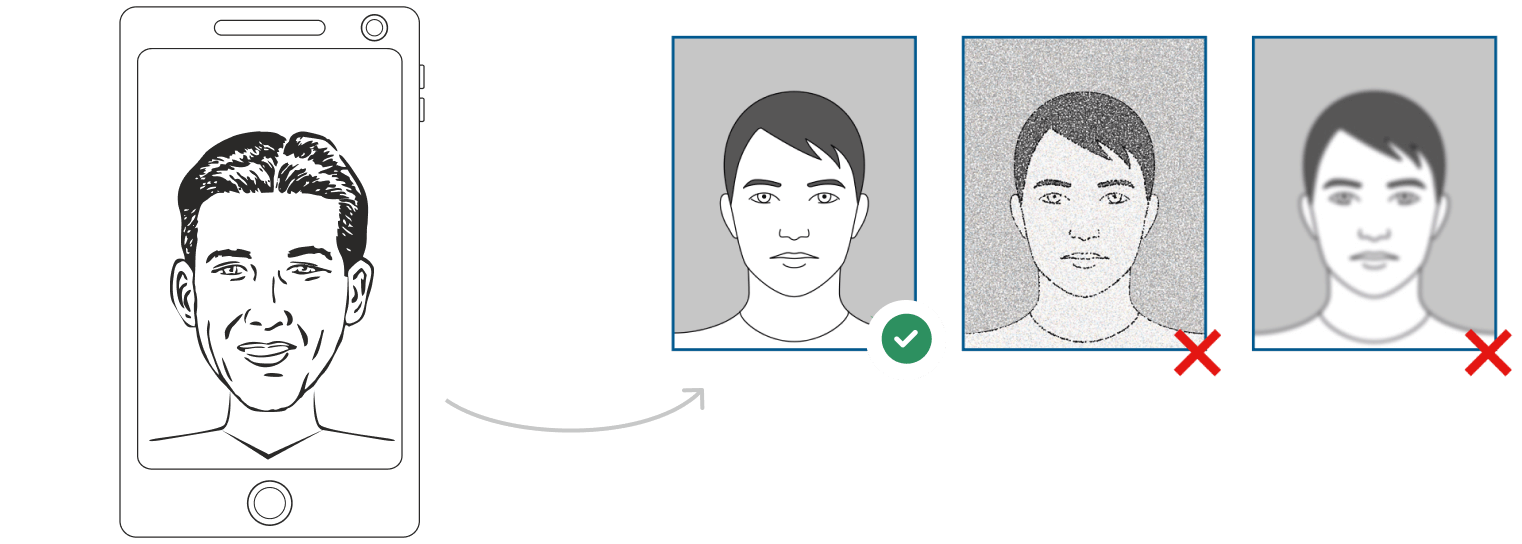
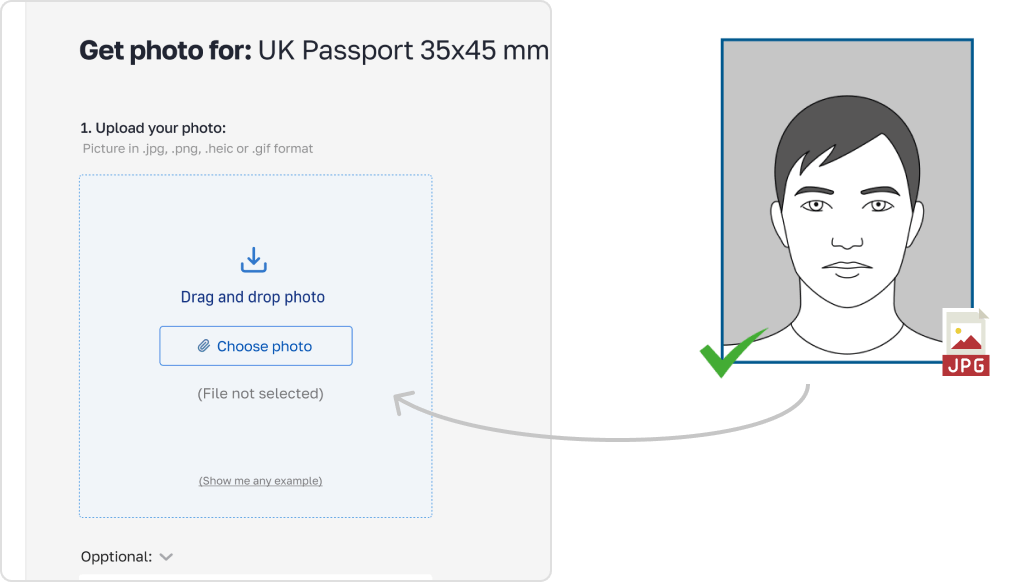
2. Upload your photo to the PhotoGov AI platform for processing
Once your photo is processed download it for print use as required.
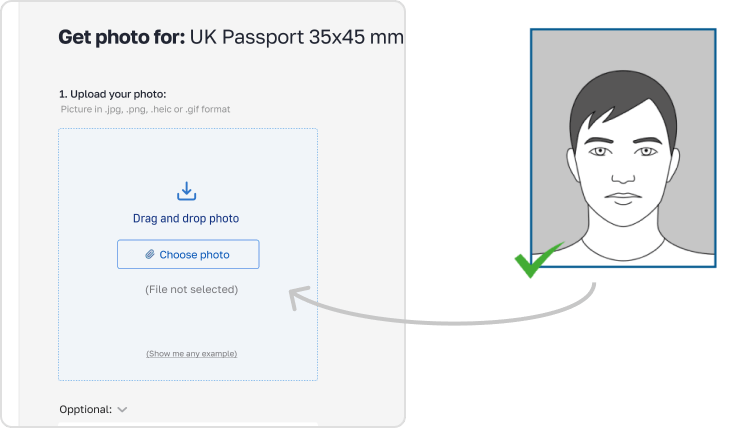
3.
Tips for Taking Photos.
Maintain a body with your head and hair fully in view. Position the camera 5-7 feet (1.5-2 meters) away. Capture shots at different distances to choose the best one.
Stand straight yet relaxed and look directly into the camera for a clear facial view.
Ensure lighting with no shadows. balanced lighting from angles is recommended.
Photographing Kids.

For newborns. Place them on a sheet on the floor for the photo. For babies. Use a childs chair against a background. if needed support their head with a hand, behind the sheet.
PhotoGov Features
Features of PhotoGov.

Cropping
Adjusting photos to meet size criteria.

Resizing
Modifying photo dimensions for a fit.

Background Removal
Eliminating backgrounds.

Auto adjustment
Enhancing brightness, color and contrast levels.

What Makes PhotoGov Stand Out?
User Friendly Interface
Streamlined design for navigation.
Extensive Editing Capabilities
Covering cropping, resizing, auto adjustment and background removal.
Document Compatibility
Accommodating photos for passports, IDs, visas, citizenship applications, licenses and work permits.
No Costly Equipment Required
Simply use a smartphone or digital camera with internet connectivity to upload and edit your photo.
Convenience at Your Fingertips
Skip the visit to a photo studio or booth. handle everything from the comfort of your home.
No Specialized Expertise Needed
Cutting edge AI and machine learning technologies ensure compliance, with all specifications without requiring editing skills.
I Already Possess a Digital Employment Authorization Photo. How Can I Print It?
For a top-notch print opt for matte or glossy photo paper of printer paper. You can. Visit a photo service center. Utilize our tool to print at home.
Where to Find a Suitable Photo, for Employment Authorization.
Pharmacies and Drug Stores like Walgreens, CVS and Rite Aid provide in store photo services for $15.
Shipping Centers such as UPS, FedEx and similar services offer passport photo options usually priced around $15.
Post Offices and Passport Acceptance Agents often have photo services available for $15.
Retail Stores also offer photo shoot areas with competitive pricing.
Frequently Asked Questions
Other documents for the United States

Written by Olia Potiagaeva, Managing Editor Reviewed by the PhotoGov Editorial Team ★ 4.8 / 5.0 Google Checked against U.S. Department of State
Free retake or full refund
If your photo is rejected because of an error on our side.
→ Refund PolicyChecked against 8 official parameters
Every file is validated before you download it.
→ Compliance checkRequirements re-checked every 8 weeks
Against the U.S. Department of State specification, so the template never falls behind a rule change. Last checked: 12.10.2026.
→ Official Government SourcesOn this page:
- Get photo for: US Employment Authorization 2x2 inch (51x51 mm)
- Follow these steps to create US Employment Authorization Photos without having to book an appointment with a photographer.
- Instructions and Size Criteria for Photos Needed for Employment Authorization in the United States
- US Employment Authorization Photo — Size and Requirements
- You can easily snap your employment authorization picture at home by following these steps.
- Photographing Kids.
- PhotoGov Features
- What Makes PhotoGov Stand Out?
- Frequently Asked Questions
PhotoGov.net strictly adheres to the Global regulations for ID photos.
Related pages
Official Government Sources
Checked against the U.S. Department of State photo requirements: http://www.uscis.gov/sites/default/files/files/form/i-765instr.pdfLast checked: 12.10.2026
Photo standards: uscis.gov
uscis.gov: uscis.gov
Other Documents — United States ID Photos
United States
9 doc.
- Baby Passport Photo2x2 inch (50.8x50.8 mm)
- CVS photo2x2 inch (50.8x50.8 mm)
- Digital Passport Photo2x2 inch (50.8x50.8 mm)
- US Electronic Diversity Visa Lottery2x2 inch (50.8x50.8 mm)
- USA crew visa2x2 inch (50.8x50.8 mm)
- US Green Card2x2 inch (50.8x50.8 mm)
- US Passport2x2 inch (51x51 mm)
- US Visa2x2 inch (51x51 mm)
- USA welding certificate2x2 inch (50.8x50.8 mm)