Photo requirements at a glance
Official specification summary for this document, verified against the issuing authority's requirements.
- Photo size
- 50.8x50.8 mm · 2x2 in
- Pixel size
- 600x600 px
- Resolution
- 300 DPI
- Background
- In color
- Head height
- 1.29 inch
- Eyes level
- 1.18 inch
- File format
- JPEG
- Glasses
- not allowed
- Expression
- Neutral, eyes open, mouth closed
Your USA crew visa Now (50.8 × 50.8 mm / 600 × 600 Pixels)
FreeUpload a selfie, and our photo converter resizes and crops it to the exact specifications automatically. Works on iPhone, Android and desktop — no studio visit required.
Drag to reposition · Scroll-free sliders below
or paste an image from your clipboard
Check this box if health issues affect your photo — a medical certificate is required.
Compliance
Human Photo Verification
A compliance expert reviews your photo and provides a report. 99.2% approval rate.
Print sheet (multiple copies)
2x2 in · 300 dpi · JPEG · United States
Batch processing — process multiple photos at once
0 loadedUpload several photos; they are all cropped to the current document size using the same background & adjustments, then downloaded together as a ZIP.
2x2 Inch USA Crew Visa Photo Maker
Getting a USA Crew Visa calls for certain papers, including a suitable photograph. The picture has to fit the official 2x2 inch (5.08x5.08 centimeter) size. Ignoring these rules could cause your application to be rejected or delayed. PhotoGov makes it simple to produce the ideal USA Crew Visa photo. Send us a selfie or a photo, and we'll resize, crop, and improve the picture to fit U.S. crew visa requirements—ready for digital submission or physical printing.


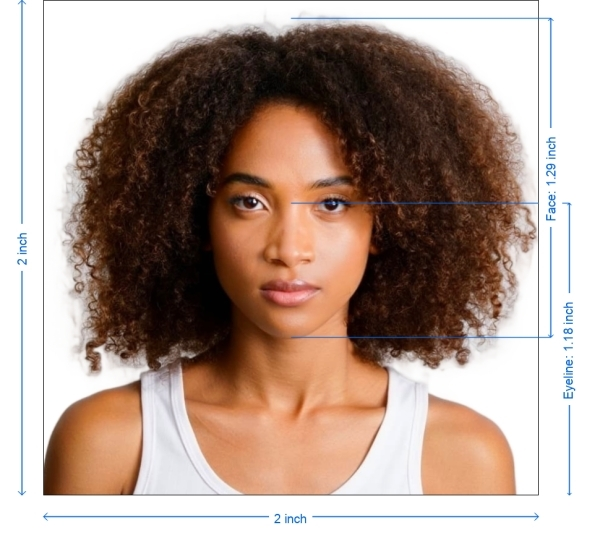
Get photo for: USA crew visa 2x2 inch
Drag to reposition · Scroll-free sliders below
or paste an image from your clipboard
Check this box if health issues affect your photo — a medical certificate is required.
Compliance
Human Photo Verification
A compliance expert reviews your photo and provides a report. 99.2% approval rate.
Print sheet (multiple copies)
2x2 in · 300 dpi · JPEG · United States
Batch processing — process multiple photos at once
0 loadedUpload several photos; they are all cropped to the current document size using the same background & adjustments, then downloaded together as a ZIP.
Best Practices for Taking a USA Crew Visa Picture
To prevent severe facial shadows, use gentle artificial lighting or natural daylight.
Make sure you're facing a plain white or light-colored wall.
The camera should be at eye level. Seventy to eighty percent of the picture should be your face.
Wear dark solid colors; avoid white shirts that merge with the background.
Avoid distortion by using a tripod or having someone snap the image instead of selfies.
Step-by-Step Instructions for Making Your USA Crew Visa Photo
Choose Document Type
From our selection of document types on PhotoGov.net, pick "USA Crew Visa - 2x2 inch"
Snap Your Picture
Use your phone or camera. Stand 1.5–2 meters from a light-colored background
Send Your Picture
Post your picture on our site. Make sure your face is obvious and the lighting is good
Automatic Crop & Optimize
Our technology will improve the picture quality, correct the background, and crop the image to 2x2 inches
Download and Send
Get your ready-to-use digital file for online submission or print it for physical submission
Feature–Specification
| Face Expression | No smile, closed mouth. Eyes Open, clearly visible, staring directly at the camera |
| Face expresion | Centered, not slanted Should take 70–80% of the height of the picture |
| Apparel | Avoid white tops; dark-colored apparel is suggested |
| Head Coverings | Allowed only for religious or medical reasons; face must be completely visible |
| Illumination | Flat, no shadows or reflections |
Extra Compliance Advice
No Digital Alterations - Steer clear of filtering or editing that changes facial characteristics.
Ensure the image is crisp and not pixelated or blurry.
The face should cover 70–80% of the height of the picture.
Digital submissions should be JPEG or PNG under 1 MB.

*Data from government agencies
Requirements for USA Crew Visa Photos
Your USA crew visa photo has to follow technical and appearance-related criteria established by the U.S. consulate. Make sure your picture follows our thorough acceptance criteria. Crew visas follow the same 2 x 2 inch standard as other US categories, set out in the photo requirements for a US visa.
Technical Specs
Dimensions
2 x 2 inches (5.08 x 5.08 cm)
Resolution
Minimum 300 DPI
Size
Usually less than 1 MB
Color
White or light gray
Print-ready
Certainly—for consulate/embassy submittal
How to take your own USA crew visa photo
If you don’t want to go through the trouble and expense of locating and hiring a professional photographer to take your picture, you can simply take your own from home. So long as you follow the below instructions carefully, you can capture the perfect visa photo yourself:
1. Take a picture of yourself
Open up the PhotoGov.net photo service and take your picture. Make sure you’re not wearing any headcovers or glasses, do not wear a uniform, and keep your expression neutral. Ensure that the area is well-lit and that you are standing against a neutral background.
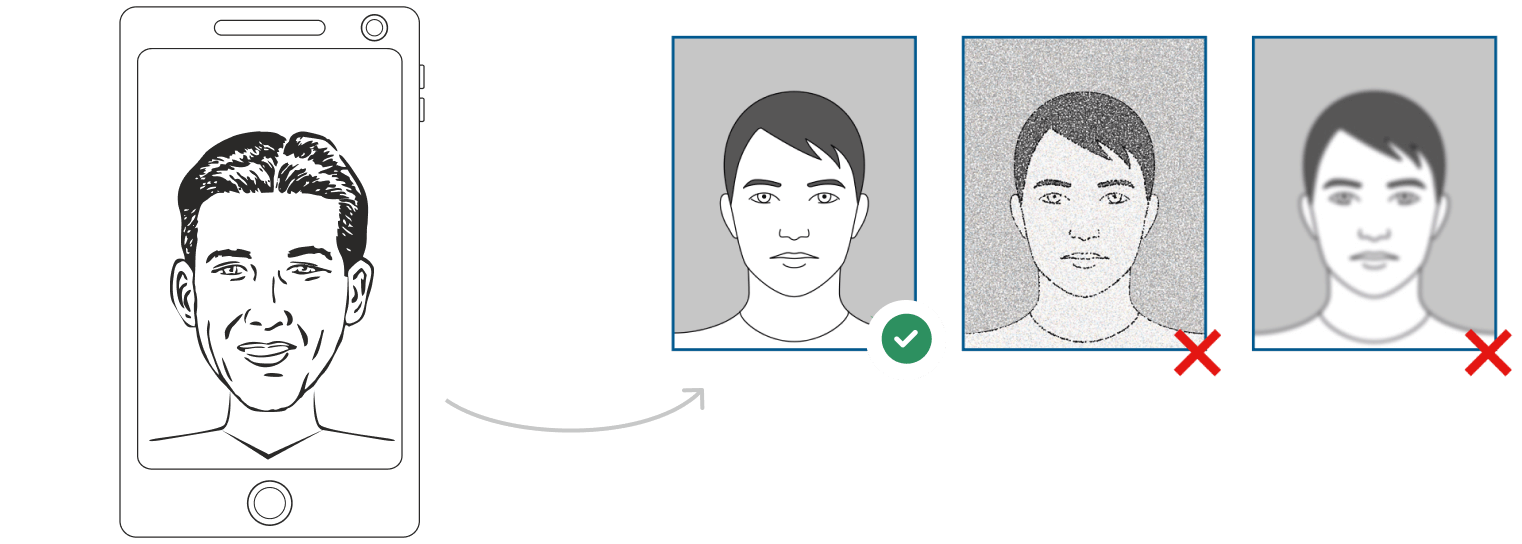
Watch "How to take a photo" (00:46)
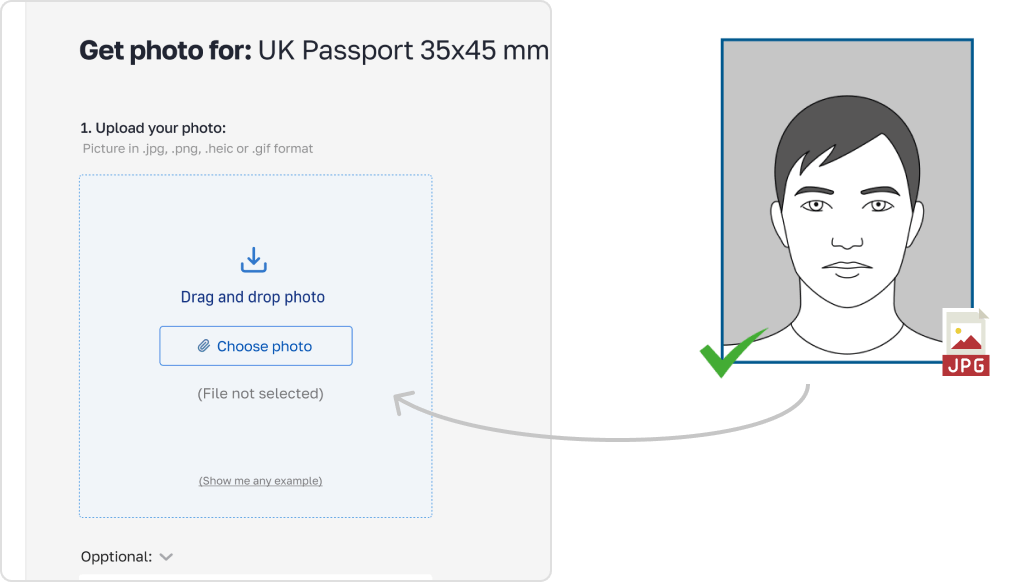
2. Upload your photo to PhotoGov AI
Next, upload your image and process it through our site.
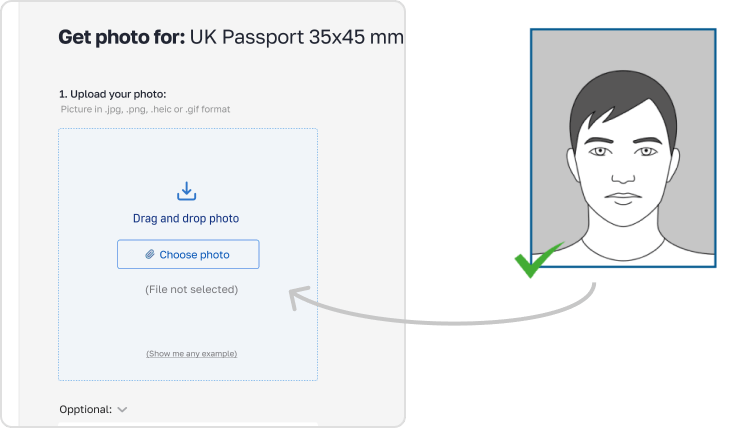
3. Receive your Passport Photo
Finally, you can download your ID photo. These images can be printed off, or you can simply use them as digital photos.
Common Errors to Avoid
Using the incorrect photo size, such as passport-size rather than 2x2 inches.
Donning caps or spectacles unless for medical or religious concerns.
Blurry, overexposed, or underexposed photographs
Background with patterns or shadows
Taking selfies in strange lighting or uncomfortable angles
PhotoGov automatically finds and fixes these problems during processing.
Guidelines for Submitting & Printing
Print your photo on high-quality photo paper (matte or glossy) in the precise 2x2 inch size.
For digital submission, make sure the digital file satisfies the embassy's criteria for file format and size.
Frequently Asked Questions
Other documents for the United States

Written by Olia Potiagaeva, Managing Editor Reviewed by the PhotoGov Editorial Team ★ 4.8 / 5.0 Google Checked against U.S. Department of State
Free retake or full refund
If your photo is rejected because of an error on our side.
→ Refund PolicyChecked against 8 official parameters
Every file is validated before you download it.
→ Compliance checkRequirements re-checked every 8 weeks
Against the U.S. Department of State specification, so the template never falls behind a rule change. Last checked: 12.10.2026.
→ Official Government SourcesOn this page:
PhotoGov.net strictly adheres to the Global regulations for ID photos.
Related pages
Other Documents — United States ID Photos
United States
18 doc.
- Baby Passport Photo2x2 inch (50.8x50.8 mm)
- CVS photo2x2 inch (50.8x50.8 mm)
- Digital Passport Photo2x2 inch (50.8x50.8 mm)
- US Electronic Diversity Visa Lottery2x2 inch (50.8x50.8 mm)
- US Employment Authorization2x2 inch (50.8x50.8 mm)
- US Green Card2x2 inch (50.8x50.8 mm)
- US Passport2x2 inch (51x51 mm)
- US Visa2x2 inch (51x51 mm)
- USA welding certificate2x2 inch (50.8x50.8 mm)
- USA Form I-130 2x2 inch2.01x2.01 inch (51x51 mm)
- US Citizenship (naturalization) 2x2 inch (51x51 mm)2.01x2.01 inch (51x51 mm)
- USA CCHI ID badge 3x3 inch2.99x2.99 inch (76x76 mm)
- USA PADI certification card 45x57 mm (1.75x2.25 inch)1.77x2.24 inch (45x57 mm)
- USA Re-entry Permit 2x2 inch2.01x2.01 inch (51x51 mm)
- USA FOID 1.25x1.5 inch1.26x1.5 inch (32x38 mm)
- US NY Gun License 1.5x1.5 inch1.5x1.5 inch (38x38 mm)
- USA Nursing License 2x2 inch2.01x2.01 inch (51x51 mm)
- US Veteran ID Card 2x2 inch2.01x2.01 inch (51x51 mm)