Photo requirements at a glance
Official specification summary for this document, verified against the issuing authority's requirements.
- Pixel size
- 400x514 px
- Resolution
- 300 DPI
- Background
- In color
- Head height
- 74 %
- File format
- JPEG
- Glasses
- not allowed
- Expression
- Neutral, eyes open, mouth closed
Your Singapore visa online Now ()
FreeUpload a selfie, and our photo converter resizes and crops it to the exact specifications automatically. Works on iPhone, Android and desktop — no studio visit required.
Drag to reposition · Scroll-free sliders below
or paste an image from your clipboard
Check this box if health issues affect your photo — a medical certificate is required.
Compliance
Human Photo Verification
A compliance expert reviews your photo and provides a report. 99.2% approval rate.
Print sheet (multiple copies)
in · 300 dpi · JPEG · Singapore
Batch processing — process multiple photos at once
0 loadedUpload several photos; they are all cropped to the current document size using the same background & adjustments, then downloaded together as a ZIP.
Convert Your Selfie to Singapore Visa Photo Size 35x45 mm from Home
Convert your selfie to the correct Singapore visa photo size online for free. Upload a selfie to PhotoGov, and instantly get an application-ready, ICA-compliant visa photo.
No studio · No app · 30 seconds
Official Photo Requirements




Source: ICA

PhotoGov is an independent service. We are not affiliated with any government, embassy, or consulate. All information on this website is based on official government requirements and verified primary sources. Final acceptance is determined solely by the issuing authority.
Get Your Singapore Visa Photo Now
Get your correctly sized, framed, and proportioned Singapore visa photo now. Follow the on-screen instructions, and download a digital or printable file to your device. Your photo is ready to submit online or in person.
Get photo for: Singapore visa online 400x514 px
Drag to reposition · Scroll-free sliders below
or paste an image from your clipboard
Check this box if health issues affect your photo — a medical certificate is required.
Compliance
Human Photo Verification
A compliance expert reviews your photo and provides a report. 99.2% approval rate.
Print sheet (multiple copies)
2x2 in · 300 dpi · JPEG · United States
Batch processing — process multiple photos at once
0 loadedUpload several photos; they are all cropped to the current document size using the same background & adjustments, then downloaded together as a ZIP.
If you need assistance, don't hesitate to contact our Support team, which is always there to help.
We recommend that you download and use mobile apps that are specifically designed to take photographs for passport or identity card applications. These apps usually come with features that will help you take photographs in the required dimensions. The photograph will be accepted if it complies with our photo guidelines.The Immigration and Checkpoints Authority SingaporeWe recommend that you download and use mobile apps that are specifically designed to take photographs for passport or identity card applications. These apps usually come with features that will help you take photographs in the required dimensions. The photograph will be accepted if it complies with our photo guidelines.
The Immigration and Checkpoints Authority Singapore
How Our Singapore Visa Photo Editor Works
Our free Singapore visa photo editor automatically converts your selfie's size, head proportions, framing, and background to the official Singapore visa specs. Choose additional services — casual-to-formal clothes change, human verification by our expert, or 9 extra clothing variations. Download the final application-ready digital or printable photo.

Photo Upload
Take a selfie and upload it to PhotoGov

Service Selection
Add Human Verification or select other services

Processing
Wait while automatic adjustments are applied

Download
Get a submission-ready Singapore visa photo
On this page:
- Get Your Singapore Visa Photo Now
- How Our Singapore Visa Photo Editor Works
- What is a Singapore Visa Photo?
- Your Final Singapore Visa Photo from PhotoGov
- Singapore Visa Photos That Pass the Checks
- Singapore Visa Photos That Don’t Pass the Checks
- Why Use the PhotoGov Service
- PhotoGov and the ICA Rules for Visa Photos
- Frequently Asked Questions
- Official Government Sources
- Other Documents — Singapore ID Photos
What is a Singapore Visa Photo?
The official photo format required for Singapore visas.
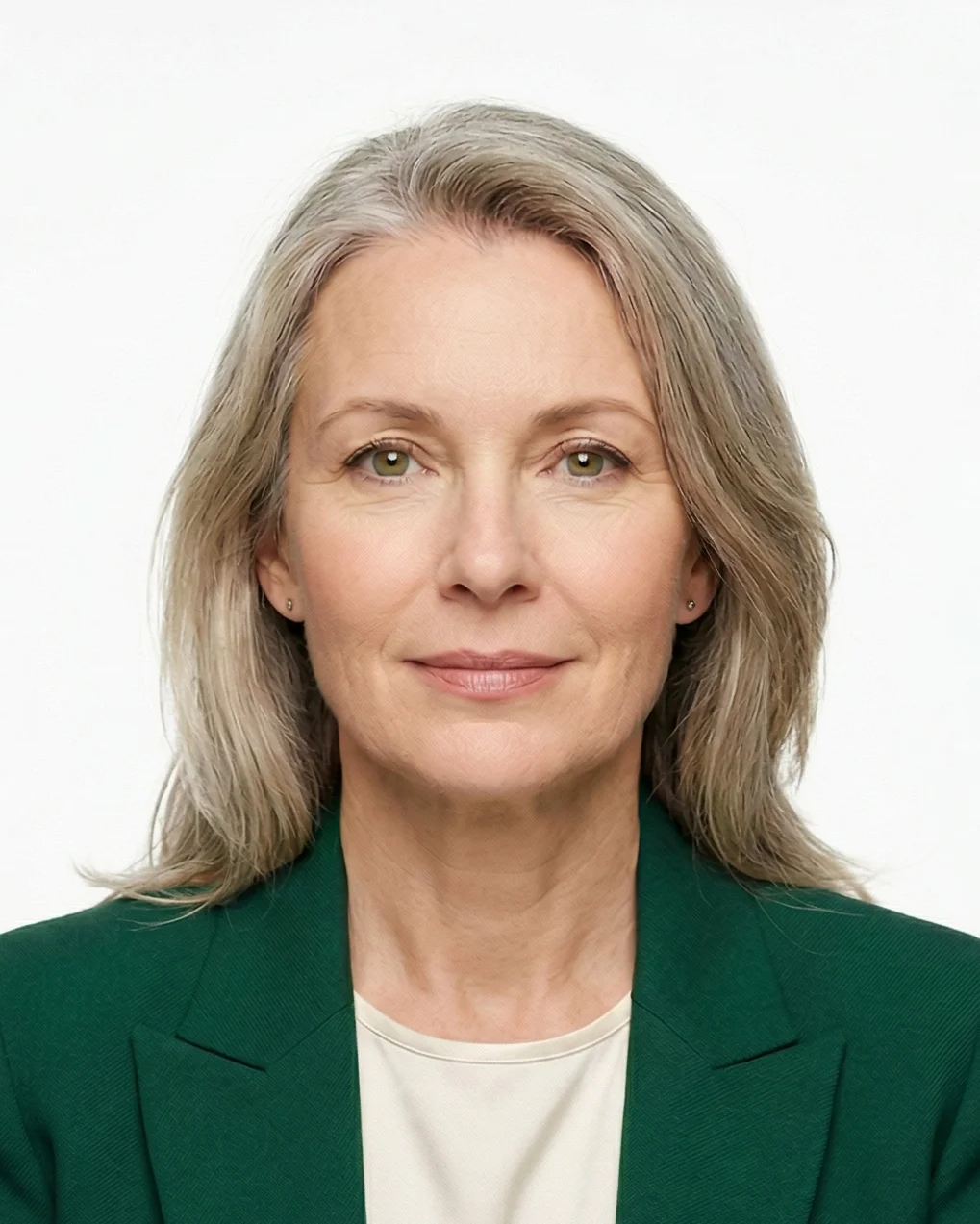
Automatically prepared by PhotoGov as a correctly sized, ICA‑compliant, and application-ready file.
Accepted for digital upload with online e-Services, and suitable for professional printing for in-person consular submissions.
Your Final Singapore Visa Photo from PhotoGov
PhotoGov automatically applies official parameters to your original photo, creating a submission-ready digital or printable file. You don’t need to manually adjust or verify any technical details.
For a full overview of official standards, please see our Singapore Visa Photo Requirements Guide.
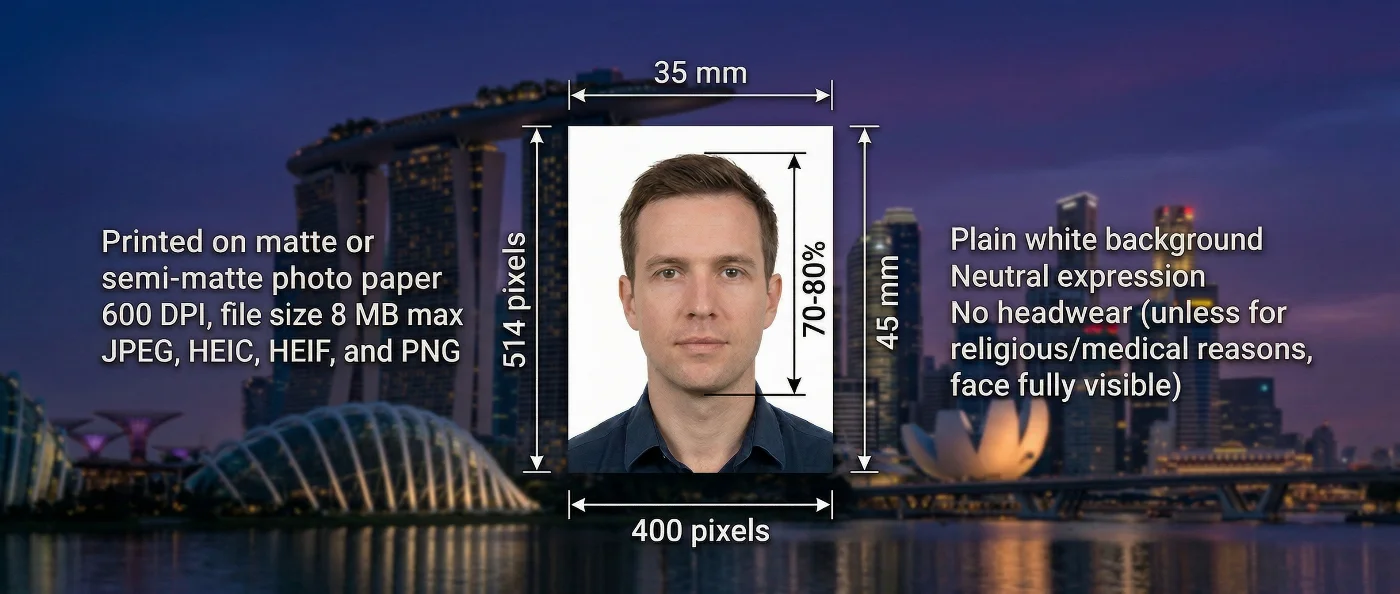
| Parameter | Your Final Photo |
| Photo size | 35×45 mm / 1.38×1.77 inches |
| Dimensions | 400 × 514 pixels (at 600 DPI) |
| Head size | 70-80% of frame height |
| Head positioning | Automatically centered |
| File format | JPG in high resolution / PDF, printable format |
| Background | White, plain |
| Colour | Full color |
| Face visibility | Fully visible, no retouching |
| Submission | Online via E-Services / In-person at embassies, consulates, authorised agents |
Your photo is processed in a private session in a secure environment. Facial features are never altered — our Singapore visa photo editor only resizes, crops, and replaces the background. If you want extra reassurance, optional Human Verification is available at checkout.
Singapore Visa Photos That Pass the Checks
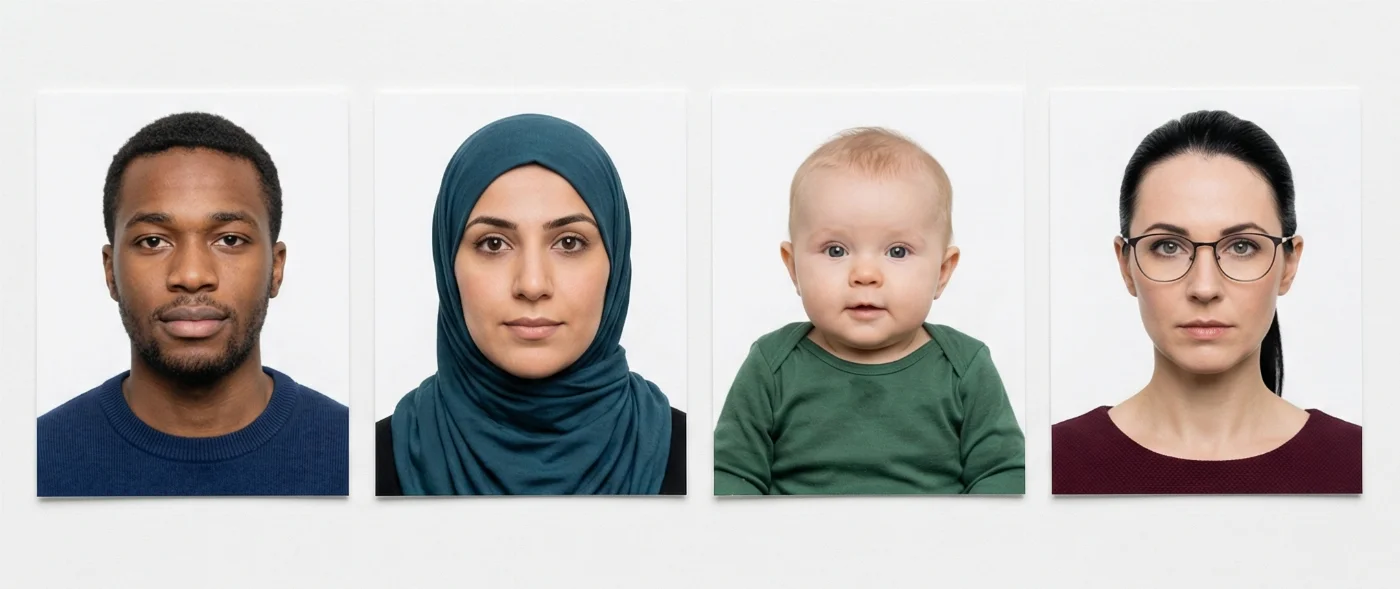
Singapore Visa Photos That Don’t Pass the Checks
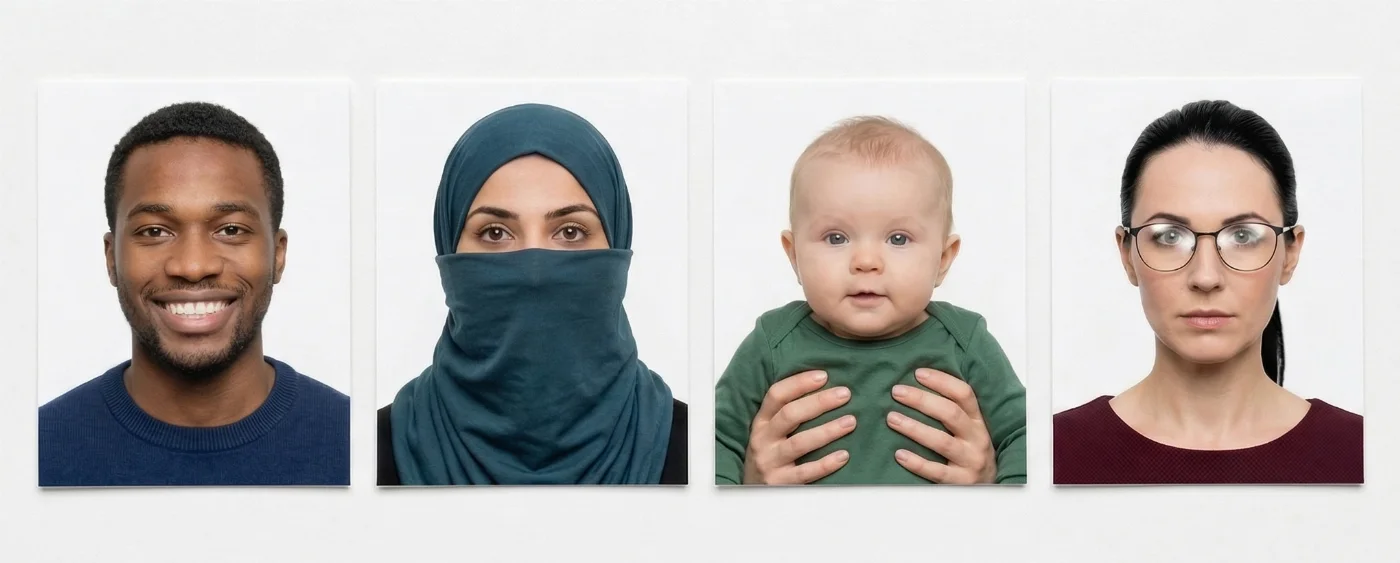

Why Use the PhotoGov Service
Convenience
Photos accepted for online and in-person submissions
Compliance-Aligned Output
Designed to meet the current ICA guidelines
Availability
No registration, installation, or studio visits
Extra Assurance
Optional Human Verification by an in-house compliance specialist
Secure Processing
Your data is secure and not transferred to third parties
If your photo is rejected due to technical issues on PhotoGov's side, we provide a free retake or a full refund.
Our service is built to meet all current Singapore visa photo rules. However, the final acceptance of your photo is always at the full discretion of the Immigration and Checkpoints Authority Singapore (ICA).
PhotoGov and the ICA Rules for Visa Photos
PhotoGov is an online service that helps you produce an application-ready Singapore visa photo that meets all current ICA photo standards — 35x45 mm size, plain white background, correct crop and alignment, and all essential biometric parameters. In accordance with strict ICAO biometric standards for machine-readable documents, we never digitally enhance or alter your facial features. The passport itself follows the ICA standard described in our Singapore passport photo requirements guide.
The official ICA visa photo template is regularly reviewed and updated by the PhotoGov’s compliance team to stay aligned with the latest guidelines of Singapore authorities. Please note that final acceptance of your photo remains at the discretion of the Immigration & Checkpoints Authority.
For applications requiring the highest level of precision, you can choose Human Verification — a detailed manual review performed by an experienced compliance expert before submission.
For other Singapore document services, see our dedicated pages: Singapore Passport Photo Tool.
Frequently Asked Questions
To resize your existing picture to the required Singapore visa photo size, use the free PhotoGov Singapore visa photo maker. Automatically applying the ICA standards to your original photo, it requires 30 seconds and a few simple steps to produce an application-ready photo:
Take a selfie or upload one from your phone or laptop to our platform.
Wait 30 seconds until the system crops it to 35×45 mm, automatically adjusting head size, margins, and background to Singapore government regulations.
The final ICA‑compliant file is generated instantly, and you can download it in the required format. You are ready to apply.
You no longer need to spend time visiting a studio — you can create a compliant Singapore visa photo online with a Singapore visa photo maker. All you need is a properly taken headshot (good lighting, looking straight at the camera, shoulders square in the shot, plain light background). Upload it to the tool, and it will automatically match it to all current ICA requirements, including size, framing, proportions, background, head positioning, and size.
PhotoGov is a free Singapore visa photo editor (no app download, no registration) that automatically sets the correct size and background, creating a technically compliant Singapore visa photo. It checks your uploaded image against a built-in Singapore visa photo template, automatically correcting all biometric parameters to those required by the Immigration and Checkpoints Authority Singapore (ICA).
It is very important to take your picture correctly for it to be successfully converted into a Singapore visa photo size with a free online tool. Use these 7 tips to create an acceptable picture:
Find a well-lit spot in your house. Take a photo against a plain wall (preferably white) during daytime
Make sure your head and shoulders are square and exactly in the middle of the shot
Turn off portrait mode, flash, and filters
Keep a neutral expression: don’t smile, frown. Keep your mouth closed, and eyes open.
Take a few shots and upload the best one to an online Singapore visa photo maker
Wait until your image is converted into the official Singapore visa photo size
Instantly download an ICA-compliant, application-ready, Singapore visa photo.
When you use a Singapore visa photo editor, the tool uses a built-in Singapore visa photo template to automatically match your original photo to all biometric parameters required for this document type. It adjusts your photo to the correct size, head position, white background, and other characteristics, producing an official visa photo that is ready for immediate submission.
The PhotoGov online Singapore visa photo maker automatically checks and crops your picture to embassy standards. No matter if you’re going to apply in person or online, the final image you get has the correct Singapore visa photo size, crop, framing, head positioning, and background.
PhotoGov is a Singapore visa photo maker that produces both digital and print-ready files for your visa application. When the photo adjustment is finished, and you’re at the checkout page, you can choose which file to download — a digital, in JPEG, for online submissions, or a printable, in PDF, to be professionally printed and submitted in person.
Yes. The PhotoGov online Singapore visa photo maker allows you to preview and adjust your final photo before purchase. If you’re unhappy with the result, retake your photo and download it once you are satisfied with the result.
You can choose a reliable Singapore visa photo maker based on these essential parameters:
The tool must offer technical compliance with the ICA Singapore visa photo standards
The interface must be intuitive and glitch-free: you must be able to upload your photo in seconds
The processing mustn’t take longer than 1 minute
Two formats must be available for download: digital and printable
The service must offer reliable Customer support in case you have questions or technical issues
The platform must follow a comprehensive privacy policy, not use your data other than for photo processing, and not forward it to any third parties.
Yes. ICA has very strict acceptance criteria for Singapore visa photos, and we offer a Human Verification service to all users who consider their trip to Singapore to be of high importance and cannot allow an application delay or rejection. The service includes your final photo evaluation by our senior compliance expert, who reviews the image quality and evaluates how likely it is to be accepted. It’s a smart choice for people who value their time and effort.
Official Government Sources
The List of Singaporean Overseas Missions: Ministry of Foreign Affairs of Singapore
Singapore e-Services for Visa Applications: Immigration and Checkpoints Authority Singapore
MyICA Mobile app for Singapore Arrival Card (SGAC) Application: Immigration and Checkpoints Authority Singapore
Singapore Entry Requirements for Different Countries: Immigration and Checkpoints Authority Singapore (ICA)
Other Documents — Singapore ID Photos

Written by Olia Potiagaeva, Managing Editor Reviewed by the PhotoGov Editorial Team ★ 4.8 / 5.0 Google Checked against Singapore
Free retake or full refund
If your photo is rejected because of an error on our side.
→ Refund PolicyChecked against 8 official parameters
Every file is validated before you download it.
→ Compliance checkRequirements re-checked every 8 weeks
Against the Singapore specification, so the template never falls behind a rule change. Last checked: 12.10.2026.
→ Official Government SourcesPhotoGov.net strictly adheres to the Global regulations for ID photos.