Requisitos de la foto de un vistazo
Resumen de las especificaciones oficiales de este documento, verificado con los requisitos de la autoridad emisora.
- Tamaño de foto
- 35x45 mm · 1.38x1.77 in
- Tamaño en píxeles
- 827x1063 px
- Resolución
- 600 DPI
- Fondo
- In color
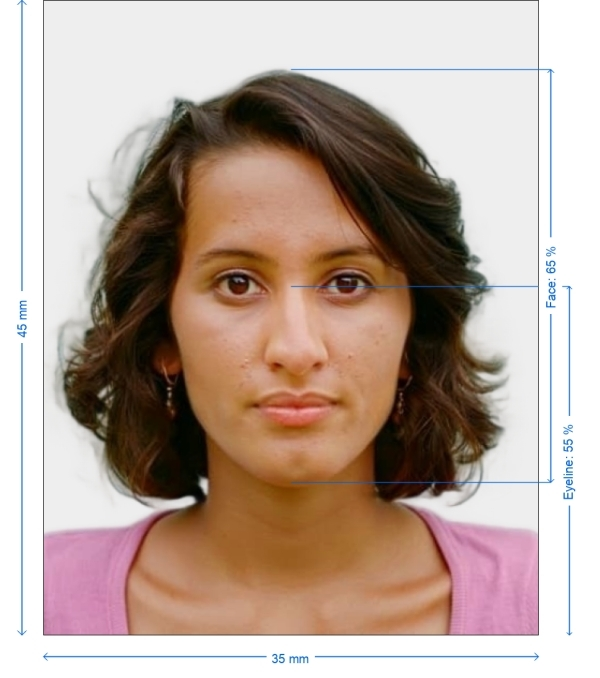
- Altura de la cabeza
- 65 %
- Nivel de ojos
- 55 %
- Formato de archivo
- JPEG
- Gafas
- no permitidas
- Expresión
- Neutral, eyes open, mouth closed
Tu New Zealand Passport Offline ahora (35 × 45 mm / 827 × 1063 Pixels)
GratisSube un selfie y nuestro conversor de fotos lo redimensiona y recorta automáticamente a las especificaciones exactas. Funciona en iPhone, Android y escritorio — sin visita a estudio.
Arrastra para reposicionar · Controles deslizantes sin scroll abajo
o pega una imagen desde el portapapeles
Marca esta casilla si problemas de salud afectan tu foto — se requiere certificado médico.
Conformidad
Verificación humana
Un experto en cumplimiento revisa tu foto y emite un informe. 99,2% de aprobación.
Hoja de impresión (varias copias)
1.38x1.77 in · 600 dpi · JPEG · Nueva Zelanda
Procesamiento por lotes — procesa varias fotos a la vez
0 cargadasSube varias fotos; todas se recortan al tamaño del documento actual usando el mismo fondo y ajustes, luego se descargan juntas como un ZIP.
35x45mm New Zealand Passport Photo
A New Zealand passport photo will adhere to the strict requirements set out by their National Passport Agency and is a key component of the application process. Not complying with the stringent government guidelines may lead to delays or rejections. Photogov’s sophisticated online technology guarantees that your passport photo fulfills all official specifications so that you can present a perfect photo without any trouble.


Source: official website www.passports.govt.nz
Get photo for: New Zealand Passport Offline
Arrastra para reposicionar · Controles deslizantes sin scroll abajo
o pega una imagen desde el portapapeles
Marca esta casilla si problemas de salud afectan tu foto — se requiere certificado médico.
Conformidad
Verificación humana
Un experto en cumplimiento revisa tu foto y emite un informe. 99,2% de aprobación.
Hoja de impresión (varias copias)
2x2 in · 300 dpi · JPEG · Estados Unidos
Procesamiento por lotes — procesa varias fotos a la vez
0 cargadasSube varias fotos; todas se recortan al tamaño del documento actual usando el mismo fondo y ajustes, luego se descargan juntas como un ZIP.
Avoid These Common Mistakes
- Avoid Shadows in Background – Stand a little away from the wall to prevent shadows.
- Overexposure or Underexposure – Ensure lighting is balanced to avoid excessive brightness or darkness.
- Glare on Glasses – If you wear glasses, take them off or slightly tilt your head to reduce glare.
- Head Wrong Size – Check that your head is positioned correctly within the frame.
How to Take a Perfect New Zealand Passport Photo
Select a Well-Lit Setting – Utilize natural daylight or artificial lighting to minimize shadows.
Use a Good Quality Camera – A smartphone with a great camera or a professional digital camera gives the best results.
Keep the Correct Placement – Stand 1.5 to 2 meters away for proper framing
Upload Your Image – Our system will resize, adjust background, and pixelate automatically.
Download & Submit – A digitally approved file ready for passport submission
Passport Photo Requirements for New Zealand
Dimensions and Technical Specs
| Size | 35x45mm |
| Digital Uploads | 2400 pixels wide, 1800 pixels high or 2250 pixels wide, 2250 pixels high |
| Aspect Ratio | 7:9 |
| Background | White or light color, with no shadows or patterns |
| Resolution | At least 600 DPI |
| File Format | JPEG or PNG |
| Previous Applicants | Had to upload files of size between 250 KB and 10 MB online |

Appearance Standards
Face
Neutral, indigenous with mouth closed and eyes opened.
Head Pose
Center, framed 70-80%
Clothing
Do not wear uniforms or too-casual outfits; stick to solid colors
Accessories
Please take off your glasses if medically possible. No hats, except for religious or medical reasons.
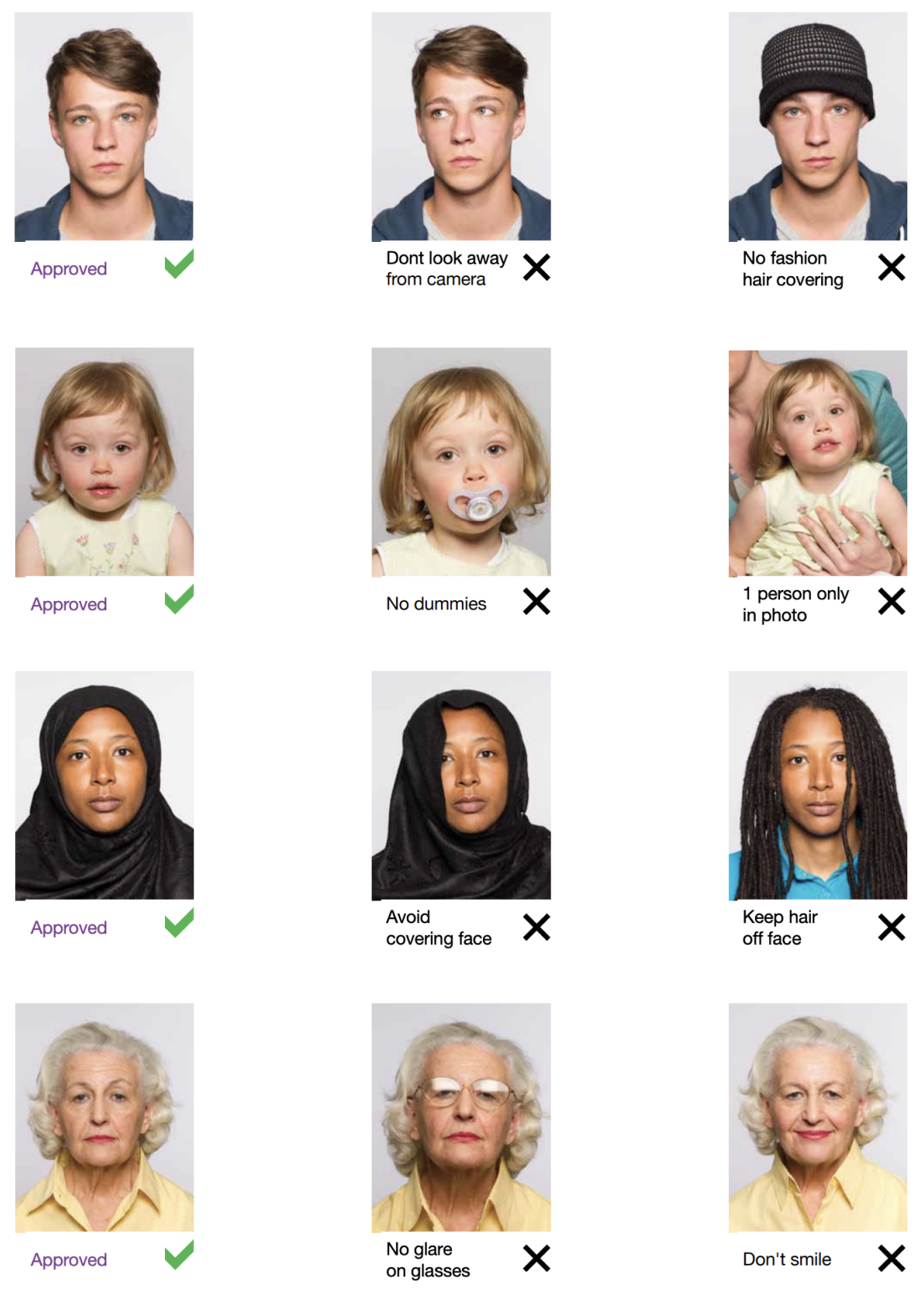
Example photos:
Below are examples of correct and incorrect photos
How to take your own New Zealand Passport Offline photo
If you don’t want to go through the trouble and expense of locating and hiring a professional photographer to take your picture, you can simply take your own from home. So long as you follow the below instructions carefully, you can capture the perfect passport photo yourself:
1. Take a picture of yourself
Open up the PhotoGov.net photo service and take your picture. Make sure you’re not wearing any headcovers or glasses, do not wear a uniform, and keep your expression neutral. Ensure that the area is well-lit and that you are standing against a neutral background.
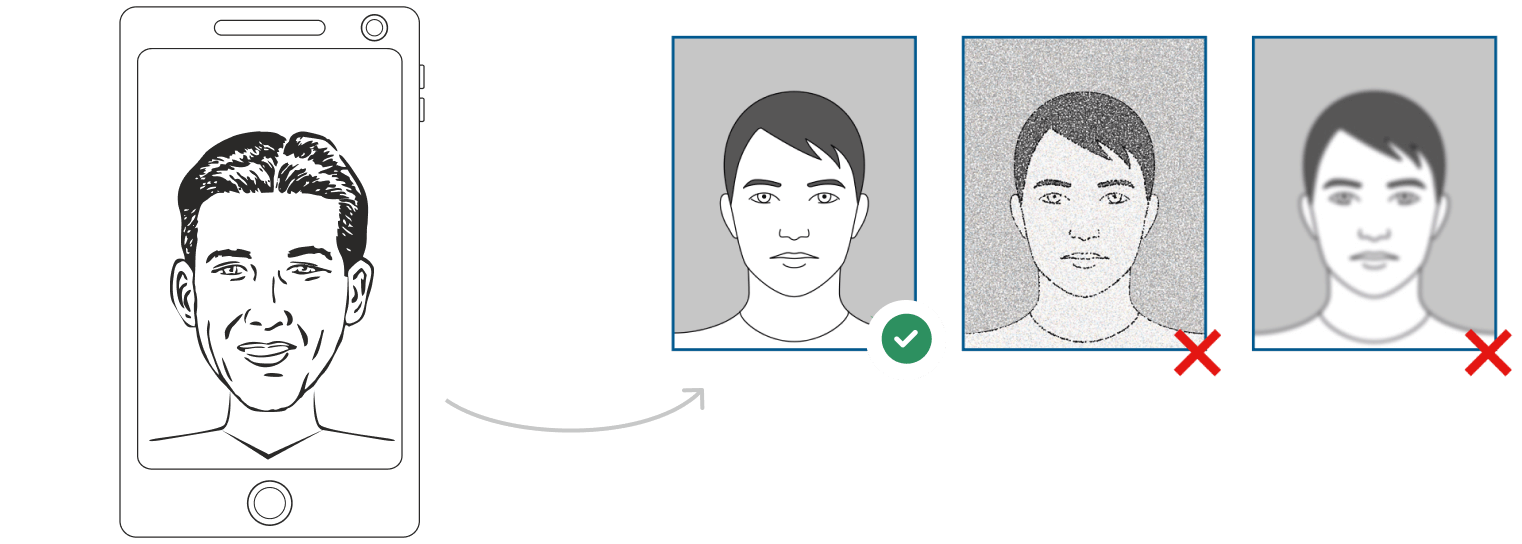
Watch "How to take a photo" (00:46)
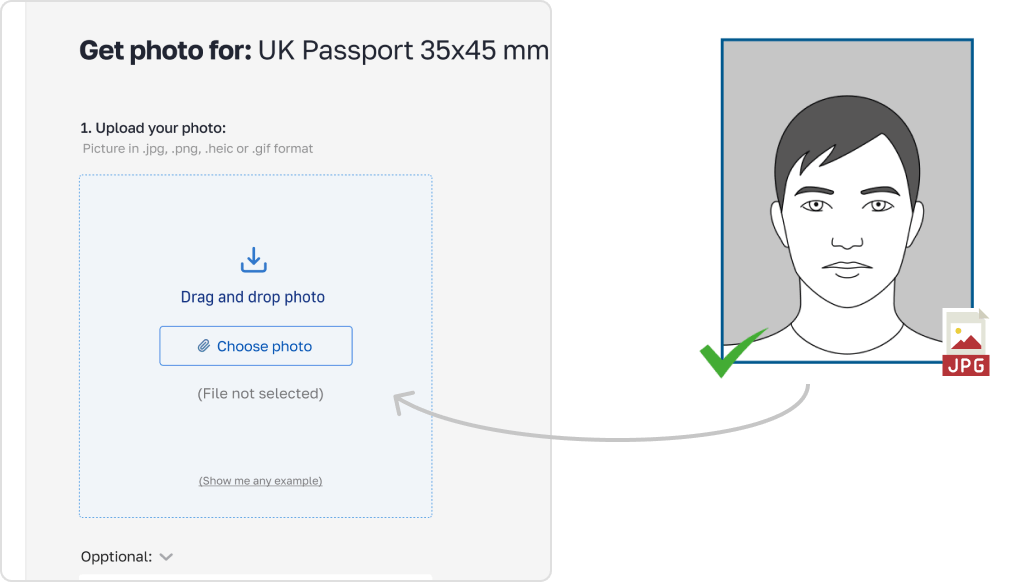
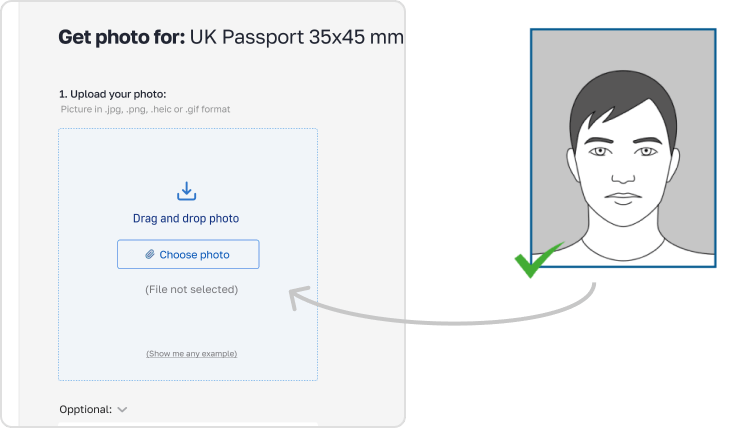
2. Upload your photo to PhotoGov AI
Next, upload your image and process it through our site.
3. Receive your Passport Photo
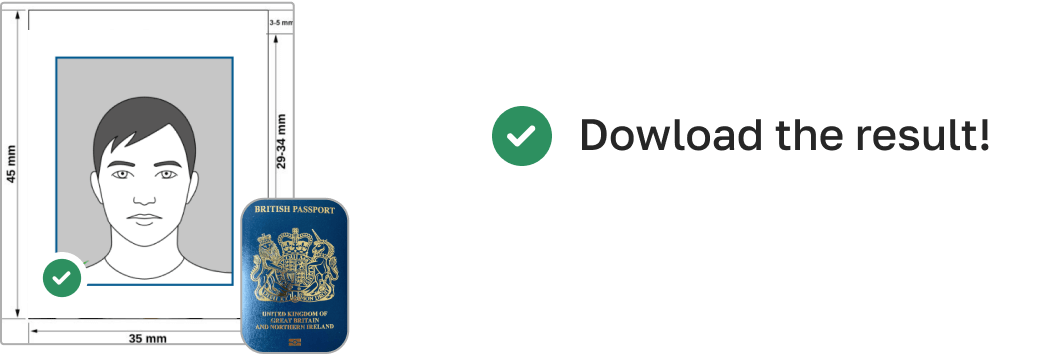
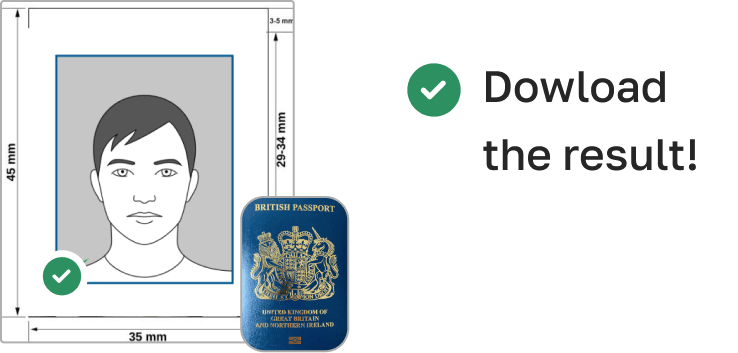
Finally, you can download your ID photo. These images can be printed off, or you can simply use them as digital photos.
Additional Compliance Tips
- No Digital Edits – Do not retouch or change facial features.
- Natural Light Only – Avoid colored lighting that alters skin tone.
- Face Fully Visible – No hair covering the eyes or forehead.
- Focus & Sharpness – Ensure the image is sharp and free of pixelation.
Print and Submit Directorates
- Digital Applications – Check the pixel size, file format (JPEG, PNG, PDF), and resolution before uploading.
- For Physical Applications – Print your photograph on high-quality matte or glossy paper.
- Check Your Government Compliance – Our system helps confirm your photo meets government requirements before submission!
How to take a New Zealand Passport Offline photo using a phone
So long as your smartphone has a good quality camera, you can certainly use it to take a picture for your passport. With that being said, however, selfies are not acceptable, so follow these steps:
- Ask someone to take your picture for you.
- Position them 5-7 feet away so that only your upper body is in the shot.
- Alternatively, use a tripod set up between 5-7 feet away. Move it as necessary to get the perfect picture.
How to take New Zealand Passport Offline photos for babies and kids

When taking pictures of babies and children for passport, many of the same rules apply; for example, they must still adhere to the dress code, and the photograph must be high-quality and well-lit. With that being said, the State Department is generally more forgiving when it comes to the neutral expression requirement.
- If you are photographing a newborn:
- Spread a white sheet out over the floor.
- Place the baby down on the sheet and take their photograph against it.
For slightly older babies:
- Prop them up in a child’s chair against a white sheet.
- If they are still unable to hold up their head, prop it up for them using a hand behind the sheet. Ensure no one else is visible in the shot.
PhotoGov Features
Our online passport photo tool offers several features to help you create the perfect photo:

Crop
Our in-built cropping feature allows you to trim new passport photos and ensure that they don’t have uneven edges. This allows you to neaten up your picture and ensure it’s the proper size for your passport.

Resize
You can also resize your picture as needed through PhotoGov, meaning that the end result will be a perfectly proportioned image that will fit just right into your passport. Additionally, you don’t need to worry about stretching or squishing the image and ruining the quality.

Background removal
If you can’t find a neutral background against which you can take a satisfactory picture, don’t worry; we have a background removal tool that can help you achieve the same results.

Auto-adjustment
With the click of a button, you can have our auto-adjustment tool immediately optimize your image to meet brightness, color, and contrast standards.
How can i convert my photo to passport size?
While you can convert the size of pictures using a variety of methods, the best option is to use our passport photo tool - PhotoGov. That way, you can rest assured you’ll have a high-quality, properly sized end product, one that isn’t distorted or blurred by stretching or compressing.
I already have a digital passport photo. How do i print it?
If you have a digital photograph, unfortunately, you won’t just be able to print it out on printer paper. You specifically need a high-quality print on either matte or glossy photo paper. You can either achieve this by visiting any photo service or by using our tool to print your image off at home.
Where to get a passport photo
Pharmacies and drug stores
Well-known medicinal retail brands, namely Walgreens, CVS, and Rite Aid, proffer immediate passport photo solutions in-store. Do anticipate a charge, with most services priced around the $15 mark.
Shipping centers
Shipping giants like UPS, FedEx, and adjacent shipping facilities also cater to passport photo needs, mirroring the services of typical drugstores. At a going rate of around $15, it stands as a worthy alternative if you're considering external providers for your passport imagery.
Post offices and other passport acceptance agents
It's customary for post offices and agencies of a similar function to be equipped for passport applications, which includes offering photographic sessions. Maintaining the price consistency as observed earlier, you can typically expect a fee around the $15 ballpark.
Retail stores
Retail venues frequently host areas meant for passport photo shoots, assuring quality pictures in line with norms. Even though each establishment might set its own rate, you can usually anticipate a decent pricing range.
Frequently Asked Questions
Other documents for the New Zealand

Escrito por Olia Potiagaeva, editora jefe Revisado por el equipo editorial de PhotoGov ★ 4.8 / 5.0 Google Verificado con New Zealand
Repetición gratuita o reembolso total
Si rechazan su foto por un error de nuestra parte.
→ Política de reembolsoVerificado con 8 parámetros oficiales
Cada archivo se valida antes de la descarga.
→ Comprobación de cumplimientoRequisitos revisados cada 8 semanas
Frente a la especificación de New Zealand, para que la plantilla nunca quede desfasada. Última verificación: 12.10.2026.
→ Fuentes gubernamentales oficialesEn esta página:
- Get photo for: New Zealand Passport Offline
- Avoid These Common Mistakes
- How to Take a Perfect New Zealand Passport Photo
- Passport Photo Requirements for New Zealand
- Appearance Standards
- Example photos:
- How to take your own New Zealand Passport Offline photo
- How to take a New Zealand Passport Offline photo using a phone
- How to take New Zealand Passport Offline photos for babies and kids
- PhotoGov Features
- How can i convert my photo to passport size?
- I already have a digital passport photo. How do i print it?
- Where to get a passport photo
- Frequently Asked Questions
PhotoGov.net cumple estrictamente con la normativa global de fotos de identidad.
Páginas relacionadas
Fuentes gubernamentales oficiales
Verificado con los requisitos fotográficos de New Zealand: https://www.passports.govt.nz/passport-photos/passport-photo-requirements/Última verificación: 12.10.2026
Estándares fotográficos: passports.govt.nz