Requisitos de la foto de un vistazo
Resumen de las especificaciones oficiales de este documento, verificado con los requisitos de la autoridad emisora.
- Tamaño de foto
- 35x45 mm · 1.38x1.77 in
- Tamaño en píxeles
- 827x1063 px
- Resolución
- 600 DPI
- Fondo
- In color
- Altura de la cabeza
- 34.5 mm
- Formato de archivo
- JPEG
- Gafas
- no permitidas
- Expresión
- Neutral, eyes open, mouth closed
Tu Germany Visa ahora (35 × 45 mm / 827 × 1063 Pixels)
GratisSube un selfie y nuestro conversor de fotos lo redimensiona y recorta automáticamente a las especificaciones exactas. Funciona en iPhone, Android y escritorio — sin visita a estudio.
Arrastra para reposicionar · Controles deslizantes sin scroll abajo
o pega una imagen desde el portapapeles
Marca esta casilla si problemas de salud afectan tu foto — se requiere certificado médico.
Conformidad
Verificación humana
Un experto en cumplimiento revisa tu foto y emite un informe. 99,2% de aprobación.
Hoja de impresión (varias copias)
1.38x1.77 in · 600 dpi · JPEG · Alemania
Procesamiento por lotes — procesa varias fotos a la vez
0 cargadasSube varias fotos; todas se recortan al tamaño del documento actual usando el mismo fondo y ajustes, luego se descargan juntas como un ZIP.
Germany Visa Photo – 35x45 mm in 2025
Applying for a German visa? You’ll need a biometric photo that meets strict Schengen specifications — typically 35x45 mm (3.5x4.5 cm). A single error in size, background, or facial expression can delay your visa application. PhotoGov makes it simple: take a selfie on your phone and get a fully compliant Germany visa photo in just a few clicks. Ready for print or digital submission, guaranteed. The passport follows its own rules, set out in the German passport photo requirements 2026 guide.


Source: official website www.germany.info
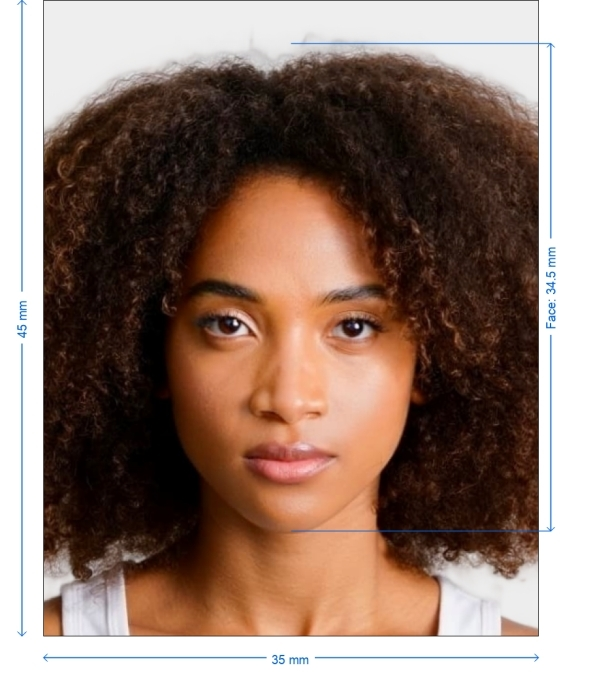
Get photo for: Germany Visa 35x45 mm (3.5x4.5 cm)
Arrastra para reposicionar · Controles deslizantes sin scroll abajo
o pega una imagen desde el portapapeles
Marca esta casilla si problemas de salud afectan tu foto — se requiere certificado médico.
Conformidad
Verificación humana
Un experto en cumplimiento revisa tu foto y emite un informe. 99,2% de aprobación.
Hoja de impresión (varias copias)
2x2 in · 300 dpi · JPEG · Estados Unidos
Procesamiento por lotes — procesa varias fotos a la vez
0 cargadasSube varias fotos; todas se recortan al tamaño del documento actual usando el mismo fondo y ajustes, luego se descargan juntas como un ZIP.
How to Take a Visa Photo at Home
Lighting: Use natural or soft artificial light. Avoid shadows or direct sunlight.
Background: Stand against a plain white or very light wall.
Distance: Hold your phone or camera at eye level, about 1.5 m away.
Framing: Your face should occupy 70–80% of the image.
Posture: Sit or stand straight, keep a neutral expression.
With PhotoGov, even an ordinary selfie becomes an embassy-compliant biometric photo.
Steps to Create Your Germany Visa Photo
Use PhotoGov to generate your Germany visa photo at home — just follow these quick steps:
Select the Document Type.
Pick "Germany Visa – 35x45 mm" from the PhotoGov document list.
Capture the Photo.
Stand 1.5–2 meters from the camera. Use soft lighting and a light wall.
Upload Your Photo.
Submit your photo for analysis and automatic background check.
Optimize and Edit.
Our system will crop, resize, clean the background, and enhance sharpness.
Download and Submit/
Get digital and printable versions ready for visa submission.

*Data from government agencies
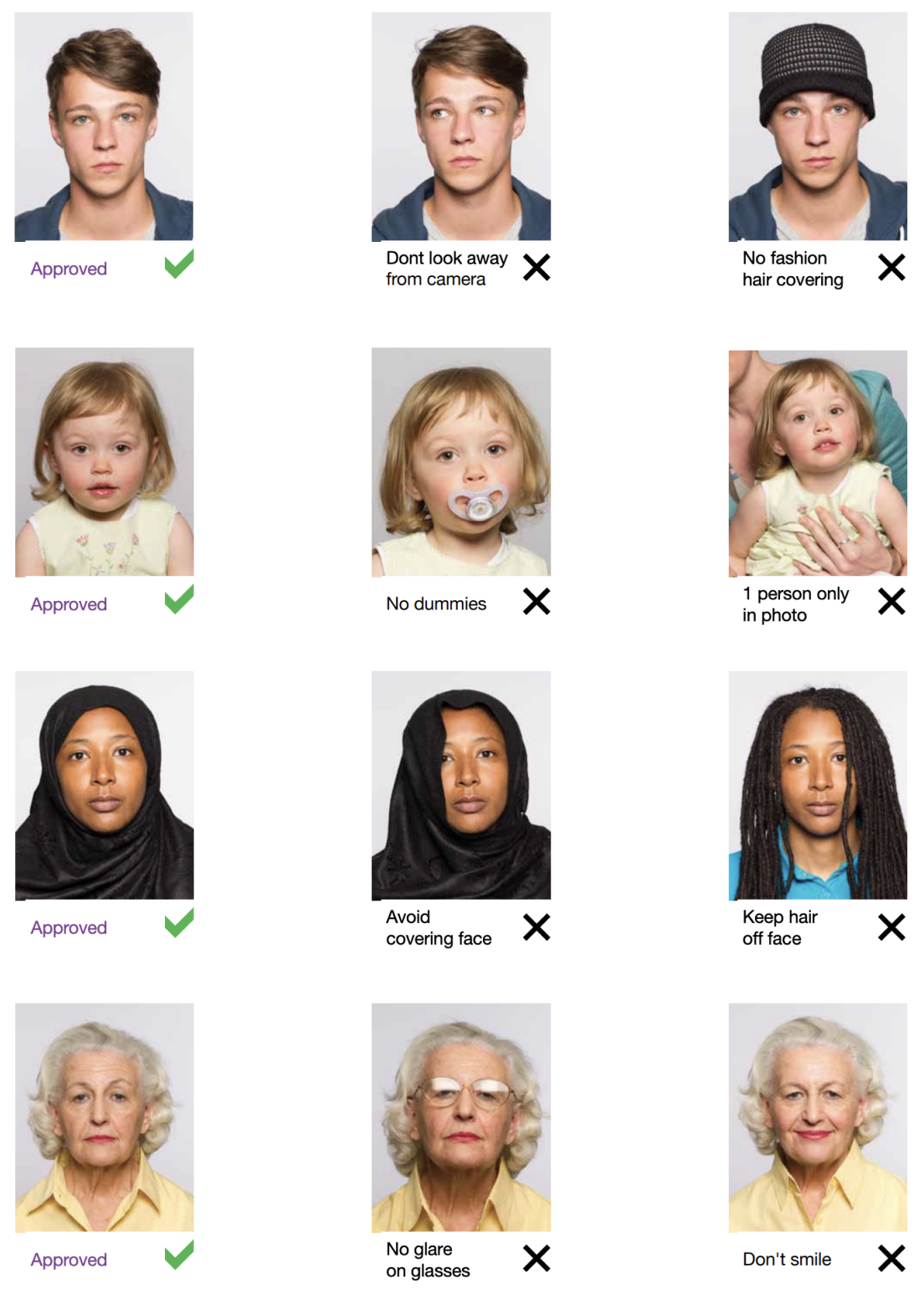
Appearance Requirements
Expression
Neutral – no smiling or frowning
Eyes
Fully open, directly facing the camera
Head position
Centered, straight, not tilted
Glasses, Head coverings
Glasses - Not allowed, Head coverings - Only for religious reasons – must not hide facial features
Clothing, Accessories
Dark or medium-tone clothing, no white tops. No hats, jewelry, or headphones
Lighting
Even and shadow-free across face and background
Example photos:
Below are examples of correct and incorrect photos
How to take your own Germany Visa photo
If you don’t want to go through the trouble and expense of locating and hiring a professional photographer to take your picture, you can simply take your own from home. So long as you follow the below instructions carefully, you can capture the perfect visa photo yourself:
1. Take a picture of yourself
Open up the PhotoGov.net photo service and take your picture. Make sure you’re not wearing any headcovers or glasses, do not wear a uniform, and keep your expression neutral. Ensure that the area is well-lit and that you are standing against a neutral background.
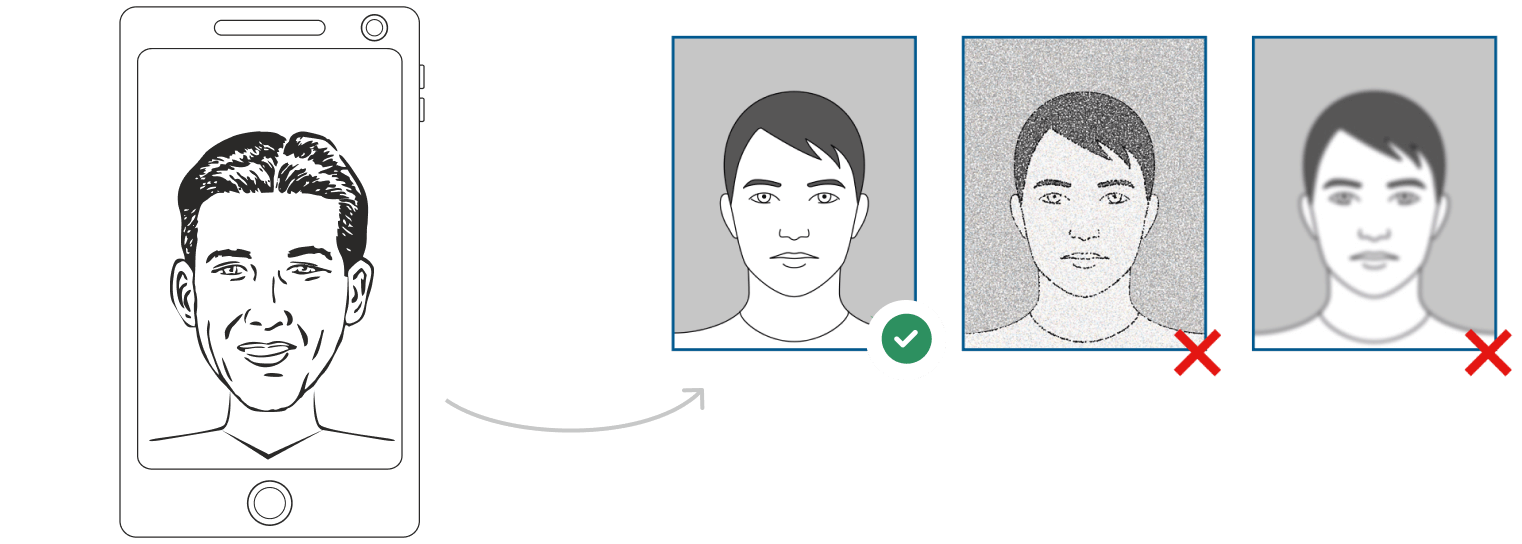
Watch "How to take a photo" (00:46)
2. Upload your photo to PhotoGov AI
Next, upload your image and process it through our site.
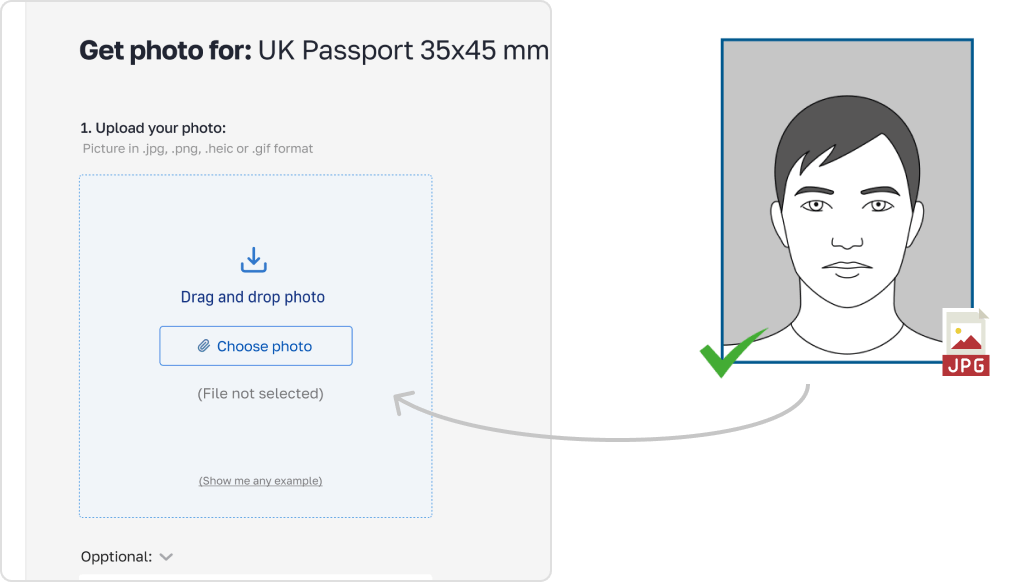
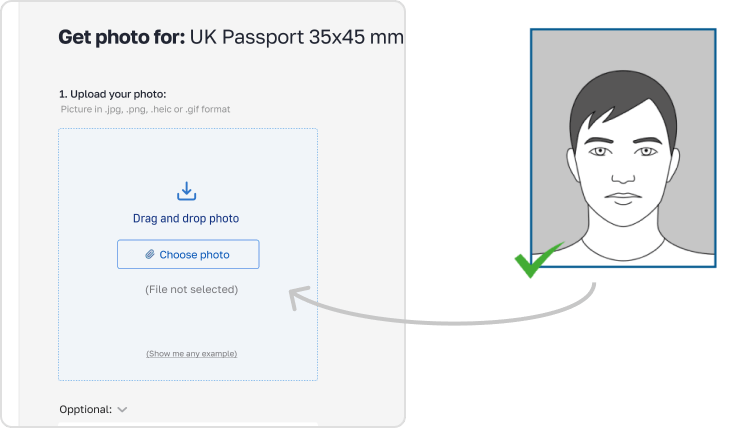
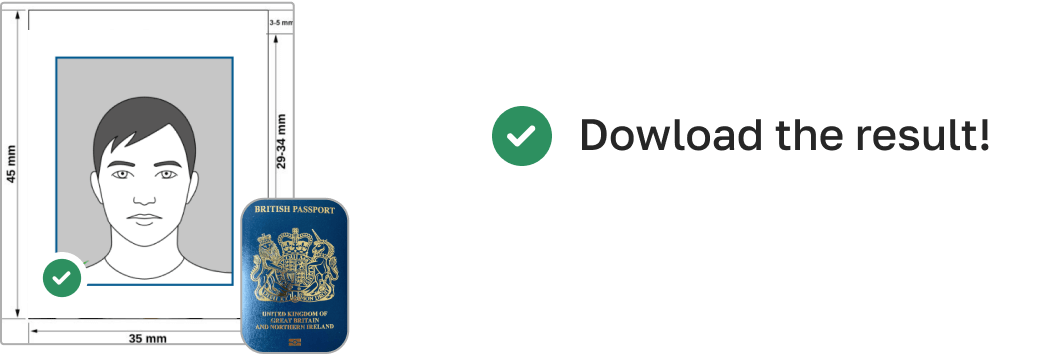
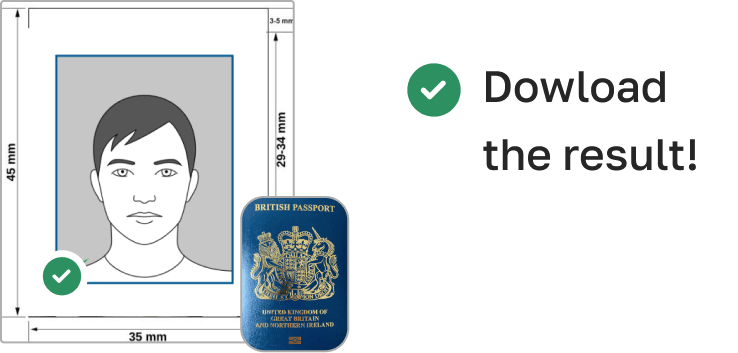
3. Receive your Passport Photo
Finally, you can download your ID photo. These images can be printed off, or you can simply use them as digital photos.
Common Mistakes to Avoid
Using passport-size (wrong format) instead of 35x45 mm
Wearing white tops that blend into background
Smiling or frowning
Glasses, shadows, or poor focus
Cropping too tightly or uneven framing
PhotoGov instantly checks and corrects every photo before download.
Can i take my visa picture at home?
So long as you’re willing to put in the effort to take a good photograph, there’s nothing stopping you from taking your visa picture at home. Simply follow these steps:
- Observe the proper dress code.
- Ensure your area is well-lit.
- Take the picture up against a neutral background.
How to take a Germany Visa photo using a phone
So long as your smartphone has a good quality camera, you can certainly use it to take a picture for your visa. With that being said, however, selfies are not acceptable, so follow these steps:
- Ask someone to take your picture for you.
- Position them 5-7 feet away so that only your upper body is in the shot.
- Alternatively, use a tripod set up between 5-7 feet away. Move it as necessary to get the perfect picture.
How to take Germany Visa photos for babies and kids

When taking pictures of babies and children for visa, many of the same rules apply; for example, they must still adhere to the dress code, and the photograph must be high-quality and well-lit. With that being said, the State Department is generally more forgiving when it comes to the neutral expression requirement.
- If you are photographing a newborn:
- Spread a white sheet out over the floor.
- Place the baby down on the sheet and take their photograph against it.
For slightly older babies:
- Prop them up in a child’s chair against a white sheet.
- If they are still unable to hold up their head, prop it up for them using a hand behind the sheet. Ensure no one else is visible in the shot.
PhotoGov Features

Crop
Crops your image to exact 35x45 mm dimensions

Resize
Scales resolution and file size for embassy or digital upload

Background removal
Clean white or light-gray background applied automatically

Auto-adjustment
Enhances lighting, contrast, and alignment
How can i convert my photo to visa size?
While you can convert the size of pictures using a variety of methods, the best option is to use our visa photo tool - PhotoGov. That way, you can rest assured you’ll have a high-quality, properly sized end product, one that isn’t distorted or blurred by stretching or compressing.

What Our Visa Photo Service Has to Offer
Embassy-specific formatting
Embassy-specific formatting for Germany visa photos
Smartphone-friendly
No need for a camera or photo studio
Instant download
In digital and print-ready formats
Unlimited re-edits
Until your photo is perfect
Compliance guarantee
With German and Schengen photo standards
I already have a digital visa photo. How do i print it?
If you have a digital photograph, unfortunately, you won’t just be able to print it out on printer paper. You specifically need a high-quality print on either matte or glossy photo paper. You can either achieve this by visiting any photo service or by using our tool to print your image off at home.
Where to get a visa photo
Pharmacies and drug stores
Well-known medicinal retail brands, namely Walgreens, CVS, and Rite Aid, proffer immediate passport photo solutions in-store. Do anticipate a charge, with most services priced around the $15 mark.
Shipping centers
Shipping giants like UPS, FedEx, and adjacent shipping facilities also cater to passport photo needs, mirroring the services of typical drugstores. At a going rate of around $15, it stands as a worthy alternative if you're considering external providers for your passport imagery.
Post offices and other passport acceptance agents
It's customary for post offices and agencies of a similar function to be equipped for passport applications, which includes offering photographic sessions. Maintaining the price consistency as observed earlier, you can typically expect a fee around the $15 ballpark.
Retail stores
Retail venues frequently host areas meant for passport photo shoots, assuring quality pictures in line with norms. Even though each establishment might set its own rate, you can usually anticipate a decent pricing range.
Frequently Asked Questions
Other documents for the Germany

Escrito por Olia Potiagaeva, editora jefe Revisado por el equipo editorial de PhotoGov ★ 4.8 / 5.0 Google Verificado con Bundesdruckerei
Repetición gratuita o reembolso total
Si rechazan su foto por un error de nuestra parte.
→ Política de reembolsoVerificado con 8 parámetros oficiales
Cada archivo se valida antes de la descarga.
→ Comprobación de cumplimientoRequisitos revisados cada 8 semanas
Frente a la especificación de Bundesdruckerei, para que la plantilla nunca quede desfasada. Última verificación: 12.10.2026.
→ Fuentes gubernamentales oficialesEn esta página:
- Get photo for: Germany Visa 35x45 mm (3.5x4.5 cm)
- How to Take a Visa Photo at Home
- Steps to Create Your Germany Visa Photo
- Appearance Requirements
- Example photos:
- How to take your own Germany Visa photo
- Common Mistakes to Avoid
- Can i take my visa picture at home?
- How to take a Germany Visa photo using a phone
- How to take Germany Visa photos for babies and kids
- PhotoGov Features
- How can i convert my photo to visa size?
- What Our Visa Photo Service Has to Offer
- I already have a digital visa photo. How do i print it?
- Where to get a visa photo
- Frequently Asked Questions
PhotoGov.net cumple estrictamente con la normativa global de fotos de identidad.
Páginas relacionadas
Fuentes gubernamentales oficiales
Verificado con los requisitos fotográficos de Bundesdruckerei: http://www.germany.info/Vertretung/usa/en/05__Legal/02__Directory__Services/01__Visa/__Visa__Photo__Instructions.htmlÚltima verificación: 12.10.2026
Estándares fotográficos: germany.info
germany.info: germany.info
Otros documentos — fotos de identidad de Germany
Germany
5 doc.