Exigences photo en un coup d'œil
Résumé des spécifications officielles de ce document, vérifié par rapport aux exigences de l'autorité émettrice.
- Taille de la photo
- 26x32 mm · 1.02x1.26 in
- Taille en pixels
- 358x441 px
- Résolution
- 350 DPI
- Fond
- In color
- Hauteur de la tête
- 20 mm
- Format de fichier
- JPEG
- Lunettes
- non autorisées
- Expression
- Neutral, eyes open, mouth closed
Votre China Resident ID card maintenant (26 × 32 mm / 358 × 441 Pixels)
GratuitTéléchargez un selfie et notre convertisseur photo le redimensionne et le recadre automatiquement aux spécifications exactes. Fonctionne sur iPhone, Android et ordinateur — sans passage en studio.
Glissez pour repositionner · Curseurs sans défilement ci-dessous
ou collez une image depuis le presse-papiers
Cochez cette case si un problème de santé affecte votre photo — un certificat médical est requis.
Conformité
Vérification humaine
Un expert en conformité examine votre photo et fournit un rapport. Taux d’approbation de 99,2 %.
Feuille d'impression (plusieurs copies)
1.02x1.26 in · 350 dpi · JPEG · Chine
Traitement par lot — traitez plusieurs photos à la fois
0 chargée(s)Téléversez plusieurs photos ; elles sont toutes recadrées à la taille du document actuel avec le même fond et les mêmes réglages, puis téléchargées ensemble dans un ZIP.
China Resident ID Card - Free Maker
Applying for a China Resident ID Card—for both Chinese nationals and foreign residents—calls for presenting a compatible photo. Successful submission depends on your photo meeting the requirements, which official size for the China Resident ID Card photo is 26x32 mm. PhotoGov makes it simple to produce a compliant China Resident ID photo. Upload a selfie or photo, and we will crop, resize, and enhance your image to fit the precise specifications whether for digital submission or physical print.


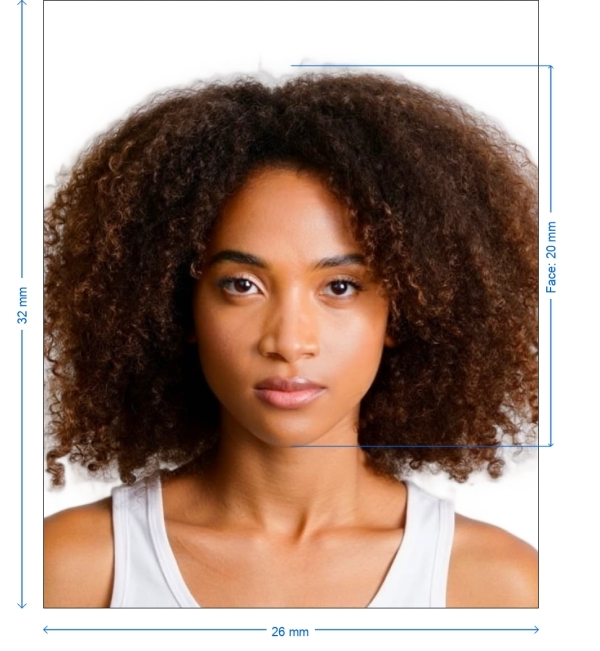
Get photo for: China Resident ID card 26x32 mm
Glissez pour repositionner · Curseurs sans défilement ci-dessous
ou collez une image depuis le presse-papiers
Cochez cette case si un problème de santé affecte votre photo — un certificat médical est requis.
Conformité
Vérification humaine
Un expert en conformité examine votre photo et fournit un rapport. Taux d’approbation de 99,2 %.
Feuille d'impression (plusieurs copies)
2x2 in · 300 dpi · JPEG · États-Unis
Traitement par lot — traitez plusieurs photos à la fois
0 chargée(s)Téléversez plusieurs photos ; elles sont toutes recadrées à la taille du document actuel avec le même fond et les mêmes réglages, puis téléchargées ensemble dans un ZIP.
Best Practices for Your China Resident ID Card Picture
Lighting: Apply gentle, consistent illumination. Steer clear of direct sunshine and shadows
Stand against a basic white or light-colored wall. Our system will resolve any background problems
Keep your face centered and gazing straight at the camera. Make sure your head is upright, not slanted
Wear dark, solid hues. Steer clear of very reflective toppers that mix with the background and white
Step-by-Step Instructions for Making Your China Resident ID Card Photo
Choose the Document Type
From the PhotoGov.net selection, select "China Resident ID Card - 26x32 mm"
Snap Your Picture
Your digital camera or smartphone will do. Stand 1.5–2 meters from a white or light-colored background. Make sure the lighting is natural and pleasant
Send the Picture
Send the snapshot to PhotoGov. Make sure your face is visible and neutral
Automatic Resize & Optimize
PhotoGov will crop the picture to the precise 26x32 millimeter size, change the backdrop, and improve contrast and lighting
Download and Send
Prepare your last photo for online submission or print it for in-person submission at the pertinent authorities
Requirements for China Resident ID card photos
Your photo has to satisfy both technical and appearance criteria if it is to be accepted for your China Resident ID Card application.
| Dimensions | 26 x 32 mm (2.6 x 3.2 cm) |
| Resolution | Minimum 300 DPI |
| Image Format | JPEG or PNG |
| File Size | Less than 1 MB |
| Background | Plain white or light-colored |
| Print-ready | Yes |
| Online Submission | Online applications with consulates and government portals accepted |

Guidelines for Appearance
Technical requirements:
Face Expression
Neutral: mouth closed, no smiling
Head Location
Centered in the frame, looking ahead
Apparel
Steer clear of white tops; dark, solid hues preferred
Eyewear
Not permitted unless medically required
Head Covers
Allowed for religious or medical reasons, but must not hide facial characteristics
Lighting
Consistent illumination without shadows or glare
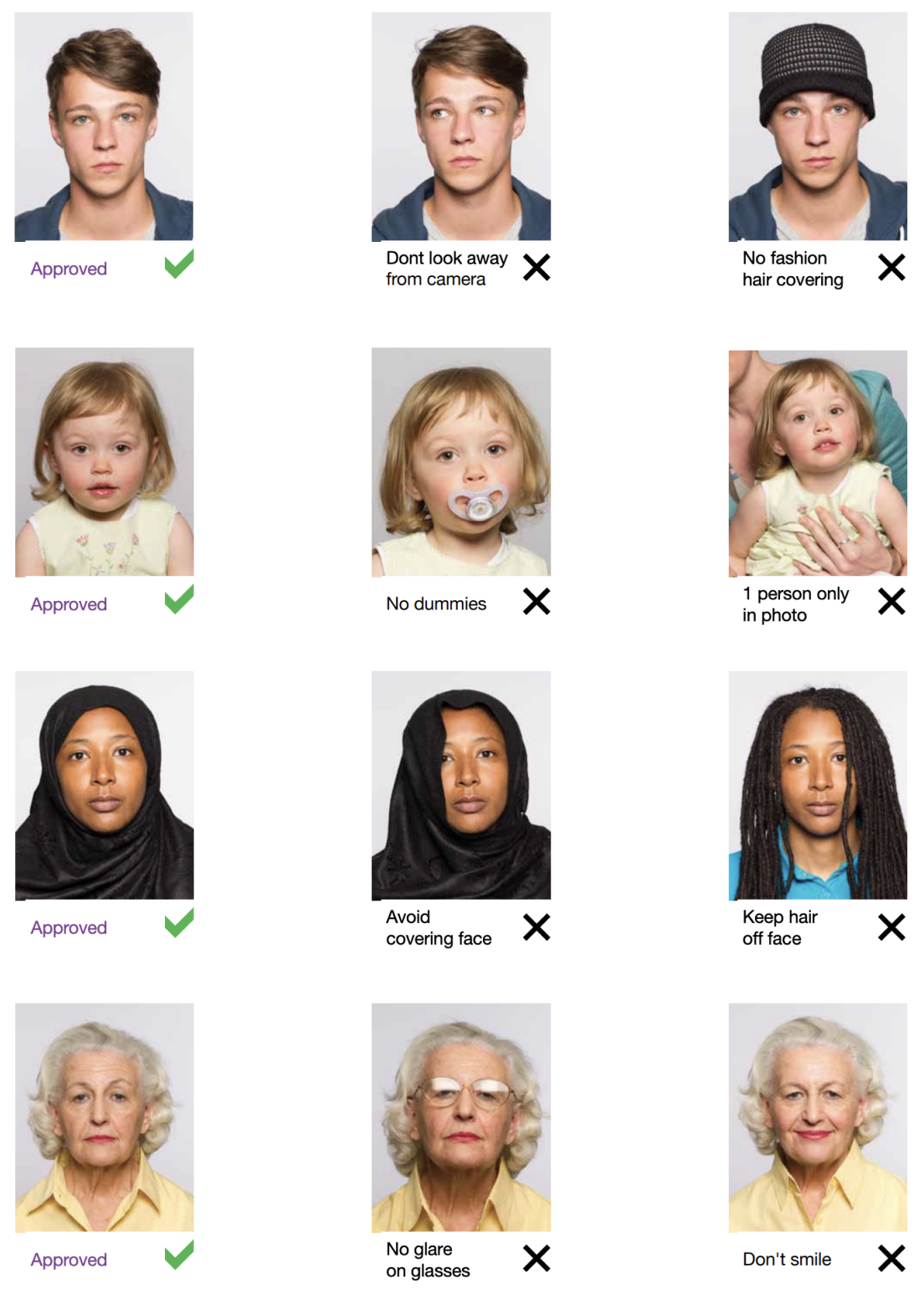
Example photos:
Below are examples of correct and incorrect photos
How to take your own China Resident ID card photo
If you don’t want to go through the trouble and expense of locating and hiring a professional photographer to take your picture, you can simply take your own from home. So long as you follow the below instructions carefully, you can capture the perfect employment authorization photo yourself:
1. Take a picture of yourself
Open up the PhotoGov.net photo service and take your picture. Make sure you’re not wearing any headcovers or glasses, do not wear a uniform, and keep your expression neutral. Ensure that the area is well-lit and that you are standing against a neutral background.
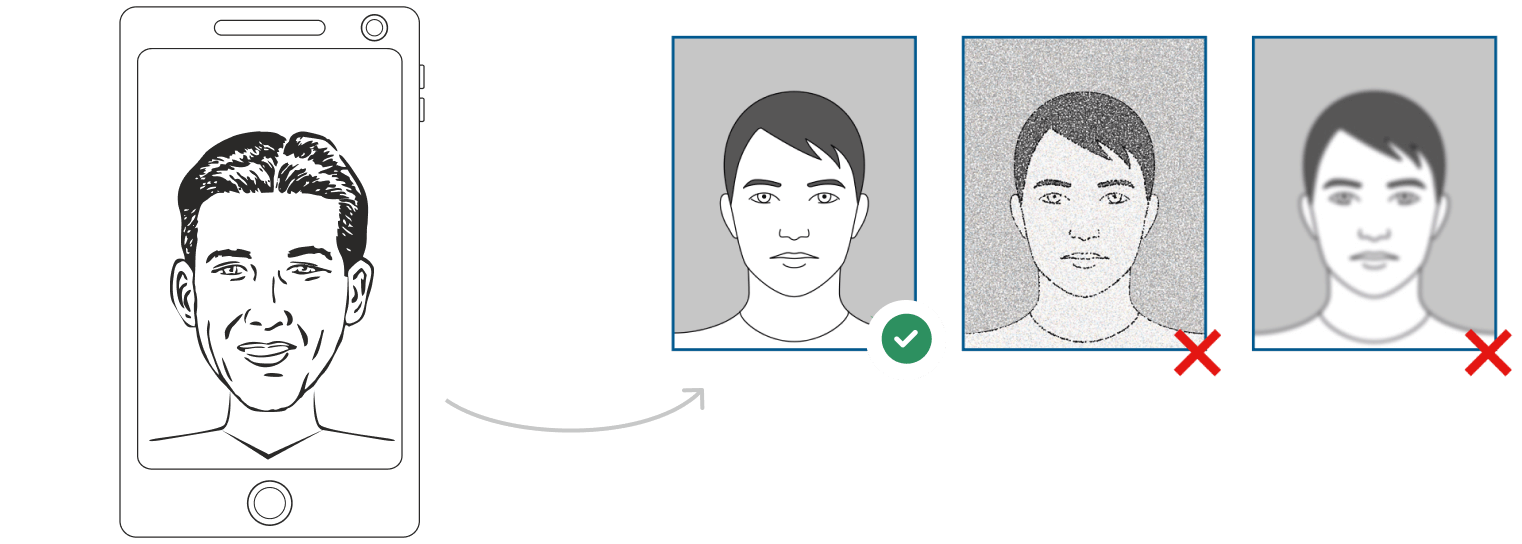
Watch "How to take a photo" (00:46)
2. Upload your photo to PhotoGov AI
Next, upload your image and process it through our site.
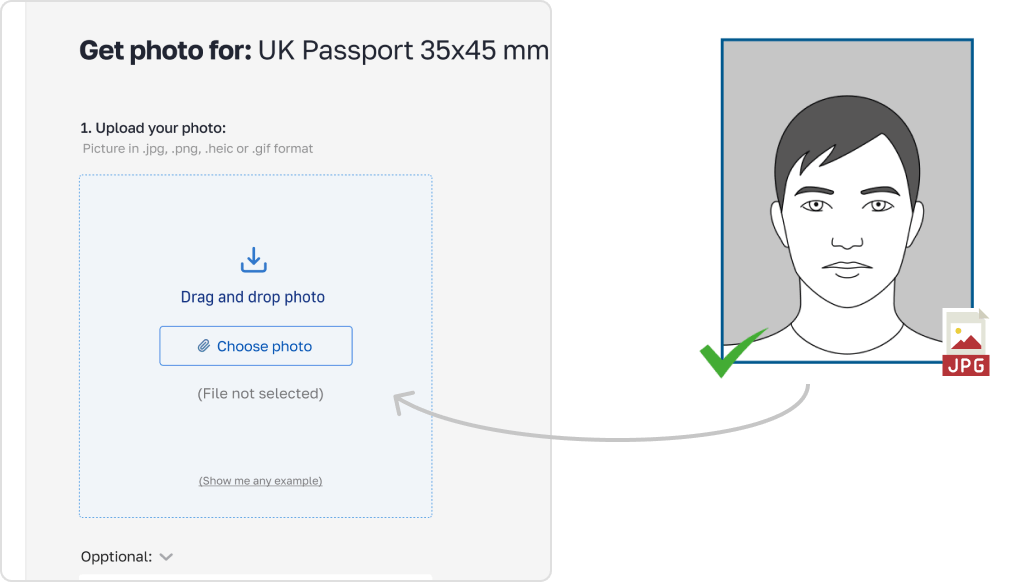
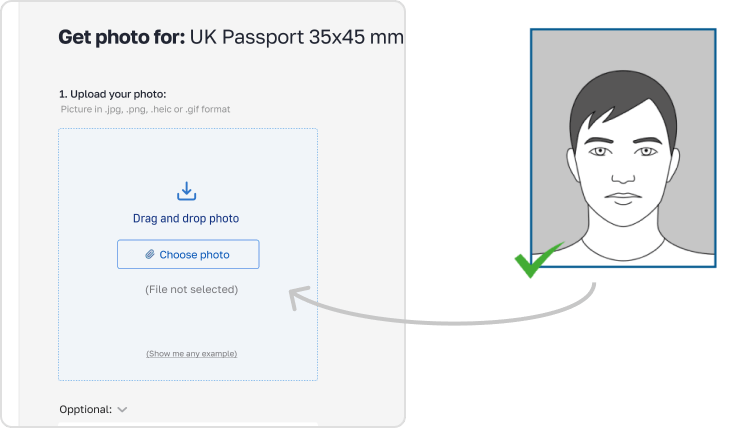
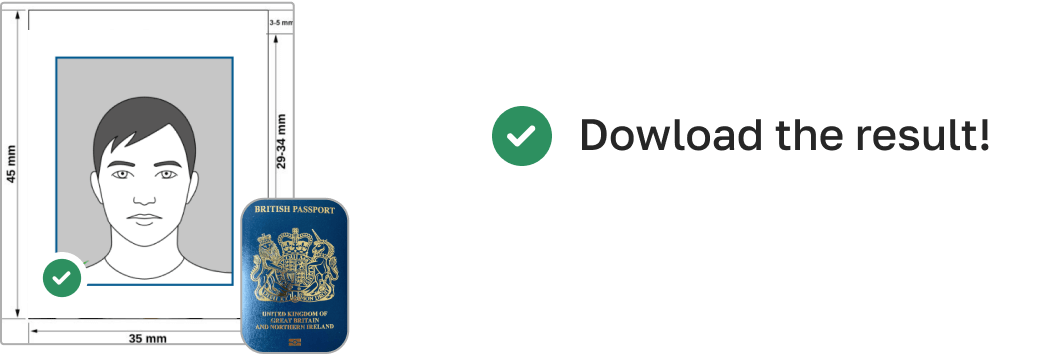
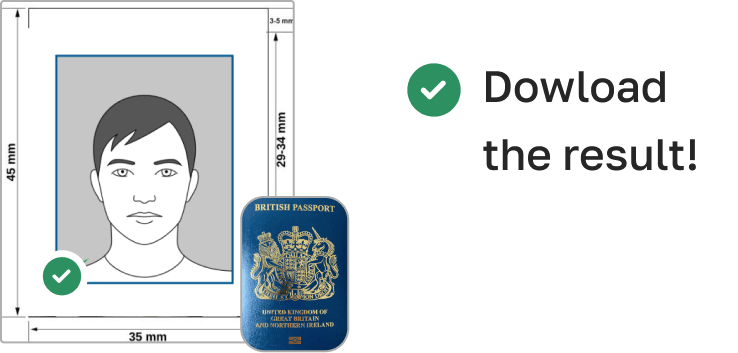
3. Receive your Passport Photo
Finally, you can download your ID photo. These images can be printed off, or you can simply use them as digital photos.
Common Errors to Avoid
Choosing the incorrect size image, such passport size rather than 26x32 mm
Wearing accessories or glasses that hide your face
Relying on overexposed, grainy, low-resolution photographs
Background with textures, shadows, or patterns
Ignoring or turning the head
PhotoGov automatically finds and fixes these mistakes during processing.
Extra Advice on Compliance
Avoiding filters or programs changing face features means no retouching
Make sure the image is clear and free of blurring or pixelation
Your face should cover 70–80% of the height of the picture
Digital entries should be JPEG or PNG, with under 1 MB file size
Guidelines for Printing and Submission
Print your photo in the precise 26x32 mm size on high-quality matte or glossy photo paper
Upload your file to the appropriate diplomatic system or gateway for digital submission. Make sure it satisfies the necessary file format and size
How to take China Resident ID card photos for babies and kids

When taking pictures of babies and children for employment authorization, many of the same rules apply; for example, they must still adhere to the dress code, and the photograph must be high-quality and well-lit. With that being said, the State Department is generally more forgiving when it comes to the neutral expression requirement.
- If you are photographing a newborn:
- Spread a white sheet out over the floor.
- Place the baby down on the sheet and take their photograph against it.
For slightly older babies:
- Prop them up in a child’s chair against a white sheet.
- If they are still unable to hold up their head, prop it up for them using a hand behind the sheet. Ensure no one else is visible in the shot.
PhotoGov Features
Our online passport photo tool offers several features to help you create the perfect photo:

Crop
Our in-built cropping feature allows you to trim new employment authorization photos and ensure that they don’t have uneven edges. This allows you to neaten up your picture and ensure it’s the proper size for your employment authorization.

Resize
You can also resize your picture as needed through PhotoGov, meaning that the end result will be a perfectly proportioned image that will fit just right into your employment authorization. Additionally, you don’t need to worry about stretching or squishing the image and ruining the quality.

Background removal
If you can’t find a neutral background against which you can take a satisfactory picture, don’t worry; we have a background removal tool that can help you achieve the same results.

Auto-adjustment
With the click of a button, you can have our auto-adjustment tool immediately optimize your image to meet brightness, color, and contrast standards.
How can i convert my photo to employment authorization size?
While you can convert the size of pictures using a variety of methods, the best option is to use our employment authorization photo tool - PhotoGov. That way, you can rest assured you’ll have a high-quality, properly sized end product, one that isn’t distorted or blurred by stretching or compressing.
I already have a digital employment authorization photo. How do i print it?
If you have a digital photograph, unfortunately, you won’t just be able to print it out on printer paper. You specifically need a high-quality print on either matte or glossy photo paper. You can either achieve this by visiting any photo service or by using our tool to print your image off at home.
Where to get a employment authorization photo
Pharmacies and drug stores
Well-known medicinal retail brands, namely Walgreens, CVS, and Rite Aid, proffer immediate passport photo solutions in-store. Do anticipate a charge, with most services priced around the $15 mark.
Shipping centers
Shipping giants like UPS, FedEx, and adjacent shipping facilities also cater to passport photo needs, mirroring the services of typical drugstores. At a going rate of around $15, it stands as a worthy alternative if you're considering external providers for your passport imagery.
Post offices and other passport acceptance agents
It's customary for post offices and agencies of a similar function to be equipped for passport applications, which includes offering photographic sessions. Maintaining the price consistency as observed earlier, you can typically expect a fee around the $15 ballpark.
Retail stores
Retail venues frequently host areas meant for passport photo shoots, assuring quality pictures in line with norms. Even though each establishment might set its own rate, you can usually anticipate a decent pricing range.
Frequently Asked Questions
Other documents for the China

Rédigé par Olia Potiagaeva, rédactrice en chef Relu par l' équipe éditoriale de PhotoGov ★ 4.8 / 5.0 Google Vérifié auprès de National Immigration Administration
Nouvelle prise gratuite ou remboursement intégral
Si votre photo est refusée en raison d'une erreur de notre part.
→ Politique de remboursementVérifié selon 8 paramètres officiels
Chaque fichier est validé avant le téléchargement.
→ Contrôle de conformitéExigences revérifiées toutes les 8 semaines
Par rapport aux spécifications de National Immigration Administration, afin que le modèle ne soit jamais dépassé. Dernière vérification : 12.10.2026.
→ Sources gouvernementales officiellesSur cette page :
- Get photo for: China Resident ID card 26x32 mm
- Best Practices for Your China Resident ID Card Picture
- Step-by-Step Instructions for Making Your China Resident ID Card Photo
- Requirements for China Resident ID card photos
- Guidelines for Appearance
- Example photos:
- How to take your own China Resident ID card photo
- Common Errors to Avoid
- How to take China Resident ID card photos for babies and kids
- PhotoGov Features
- How can i convert my photo to employment authorization size?
- I already have a digital employment authorization photo. How do i print it?
- Where to get a employment authorization photo
- Frequently Asked Questions
PhotoGov.net respecte strictement la réglementation mondiale des photos d'identité.
Pages associées
Autres documents — photos d'identité pour China
China
8 doc.
- China APEC Business Travel Card300x400 px
- China Passport1.3x1.89 inch (33x48 mm)
- China Visa1.3x1.89 inch (33x48 mm)
- China driving license 22x32 mm0.87x1.26 inch (22x32 mm)
- China driving license 21x26 mm0.83x1.02 inch (21x26 mm)
- China Green Card 33x48 mm1.3x1.89 inch (33x48 mm)
- China Social Security Card 32x26 mm1.26x1.02 inch (32x26 mm)
- China Medicare card 26x32 mm1.02x1.26 inch (26x32 mm)