Exigences photo en un coup d'œil
Résumé des spécifications officielles de ce document, vérifié par rapport aux exigences de l'autorité émettrice.
- Taille de la photo
- 35x45 mm · 1.38x1.77 in
- Taille en pixels
- 827x1063 px
- Résolution
- 600 DPI
- Fond
- In color
- Hauteur de la tête
- 34.5 mm
- Format de fichier
- JPEG
- Lunettes
- non autorisées
- Expression
- Neutral, eyes open, mouth closed
Votre Austria Passport maintenant (35 × 45 mm / 827 × 1063 Pixels)
GratuitTéléchargez un selfie et notre convertisseur photo le redimensionne et le recadre automatiquement aux spécifications exactes. Fonctionne sur iPhone, Android et ordinateur — sans passage en studio.
Glissez pour repositionner · Curseurs sans défilement ci-dessous
ou collez une image depuis le presse-papiers
Cochez cette case si un problème de santé affecte votre photo — un certificat médical est requis.
Conformité
Vérification humaine
Un expert en conformité examine votre photo et fournit un rapport. Taux d’approbation de 99,2 %.
Feuille d'impression (plusieurs copies)
1.38x1.77 in · 600 dpi · JPEG · Autriche
Traitement par lot — traitez plusieurs photos à la fois
0 chargée(s)Téléversez plusieurs photos ; elles sont toutes recadrées à la taille du document actuel avec le même fond et les mêmes réglages, puis téléchargées ensemble dans un ZIP.
Austria Passport Photo – 35x45 mm Online Maker
Austria photos and head size requirements that are listed below. 5 cm) When you are applying for an Austria Passport, the most critical thing is to make sure that the size of your photo complies with the official 35x45 mm (3.5x4. 5 cm) size requirement. If you submit a photo that doesn’t meet the requisite standards, your passport application may be delayed or rejected. Here at PhotoGov we make creating the ideal Austrian Passport photo super easy. Just upload a photo or a selfie, and we will transform it into a high definition professional ID photo ready to submit straight to your chosen embassy.


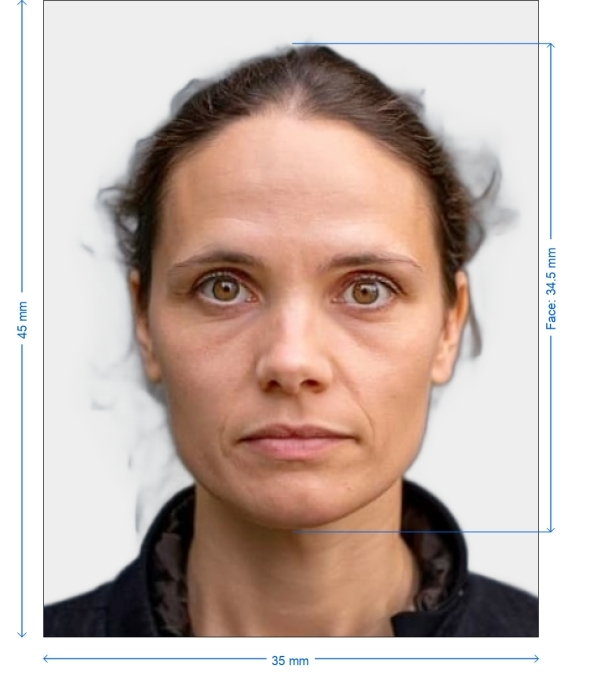
Get photo for: Austria Passport 35x45 mm (3.5x4.5 cm)
Glissez pour repositionner · Curseurs sans défilement ci-dessous
ou collez une image depuis le presse-papiers
Cochez cette case si un problème de santé affecte votre photo — un certificat médical est requis.
Conformité
Vérification humaine
Un expert en conformité examine votre photo et fournit un rapport. Taux d’approbation de 99,2 %.
Feuille d'impression (plusieurs copies)
2x2 in · 300 dpi · JPEG · États-Unis
Traitement par lot — traitez plusieurs photos à la fois
0 chargée(s)Téléversez plusieurs photos ; elles sont toutes recadrées à la taille du document actuel avec le même fond et les mêmes réglages, puis téléchargées ensemble dans un ZIP.
Tips for Your Austria Passport Photo
Lighting: Natural lighting is always best, but soft artificial lighting can also prevent any shadows or overexposure
Background: Position yourself in front of a blank white or light-colored wall. Patterns and distractions be damned
Positioning: Your head should be straight on and not turned to the camera. 2]:80 Subject's face should generally fill about 70–80% of the photo height
What to wear: Dress in dark colored monochromatic colored clothing to pop against the backdrop. Avoid white tops
How to Take Your Austria Passport Photo – Step by Step Step
Setting up your camera
Using the tripod and a chair, set up your camera at the right height and take a few test shots to check the distance of right head & shoulder. Make sure the format of the photo is 35 mm x 45 mm
Preparation
Have the photograph clicked in bright natural light. Make sure the background is white and plain, place a white sheet for that purpose
Taking the photograph
Set the camera click on time and get into the frame. Keep a distance so that the face in the photograph is as big as 70% of the entire photo. Keep a subtle expression, avoid using extra accessories like sunglasses or jewelry 3.4 You can smile mildly
Editing
Use a professional photo editor to take care of the color, light, and shadow if required
Printing
Print the image on a paper and also keep a digital copy
Appearance Guidelines
| Facial Expression | Neutral – mouth closed, no smiling or frowning |
| Eyes | Fully open, clearly visible, facing the camera |
| Head Position | Centered, facing forward |
| Face Coverage | Should occupy 70–80% of the height of the photo |
| Clothing | Avoid white tops; dark, solid colors preferred |
| Glasses | Not allowed unless medically necessary |
| Head Coverings | Allowed for religious or medical reasons, face must be fully visible |
| Lighting | Even lighting, no shadows or reflections on the face or background |

*Data from government agencies
Austrian Passports Passport Photo Requirements
To ensure your Austria Passport photo is accepted, it must meet specific technical and appearance guidelines. Here’s a breakdown of what’s required:
Size
35 x 45 mm (3.5 x 4.5 cm)
Resolution
Minimum 300 DPI
Image Format
JPEG or PNG
File Size
Typically under 1 MB
Background Color
Plain white or light-colored (no patterns or shadows)
Printable
Yes – required for in-person submission at Austrian authorities
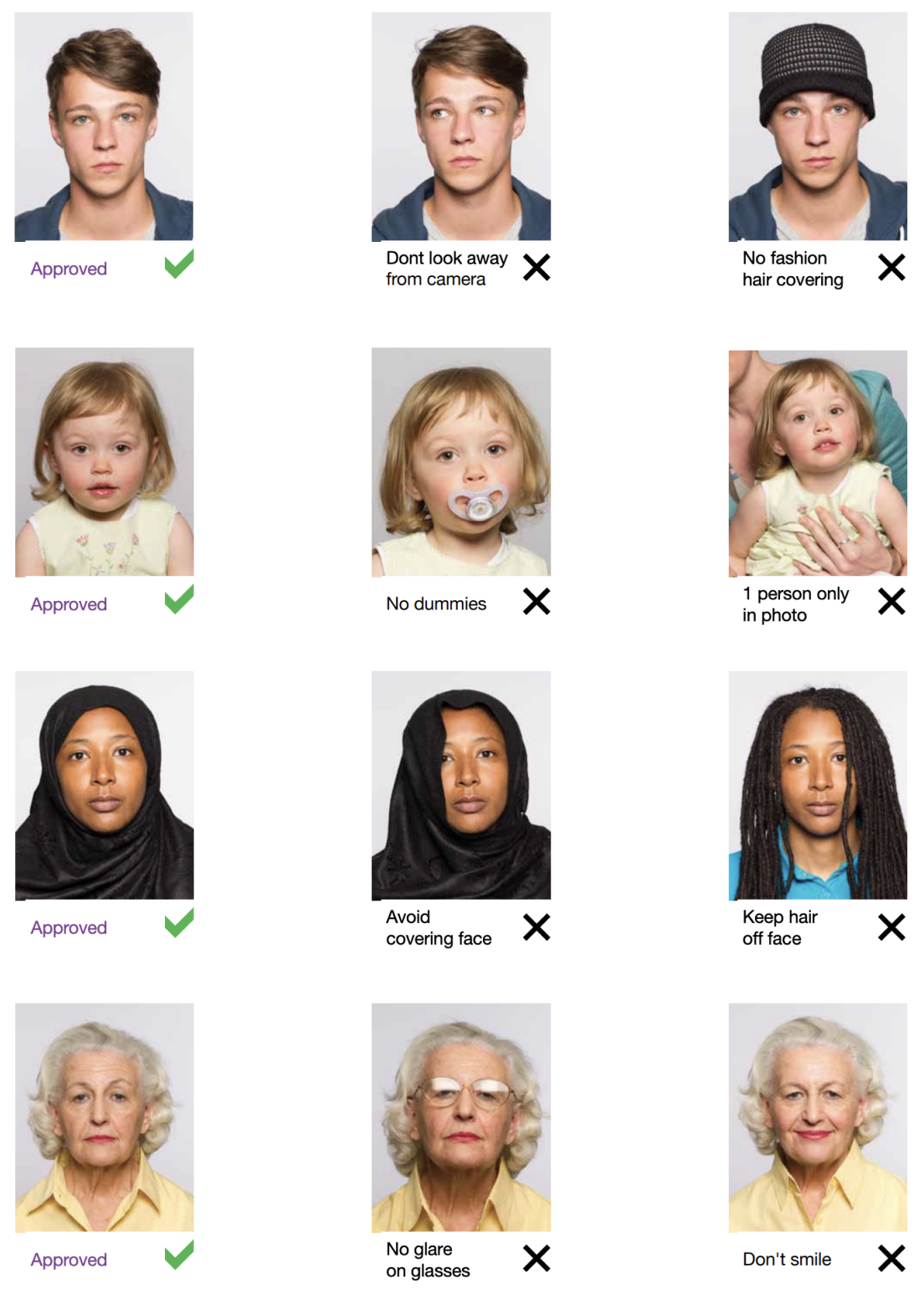
Example photos:
Below are examples of correct and incorrect photos
How to take your own Austria Passport photo
If you don’t want to go through the trouble and expense of locating and hiring a professional photographer to take your picture, you can simply take your own from home. So long as you follow the below instructions carefully, you can capture the perfect passport photo yourself:
1. Take a picture of yourself
Open up the PhotoGov.net photo service and take your picture. Make sure you’re not wearing any headcovers or glasses, do not wear a uniform, and keep your expression neutral. Ensure that the area is well-lit and that you are standing against a neutral background.
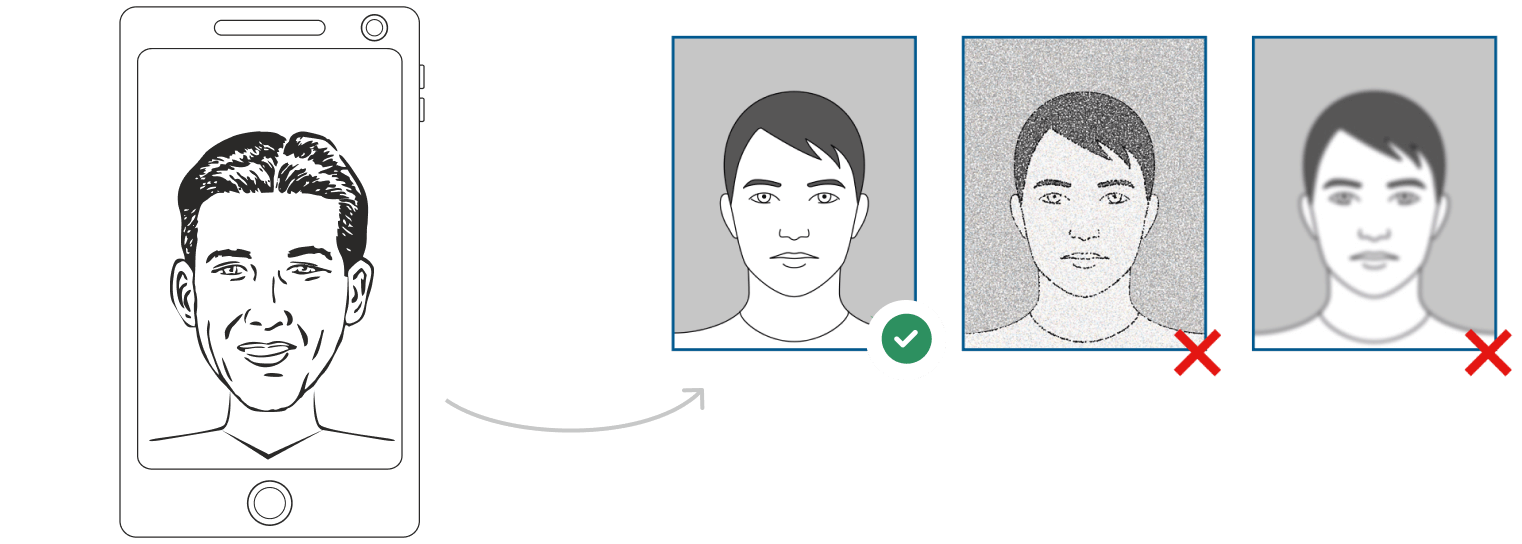
Watch "How to take a photo" (00:46)
2. Upload your photo to PhotoGov AI
Next, upload your image and process it through our site.
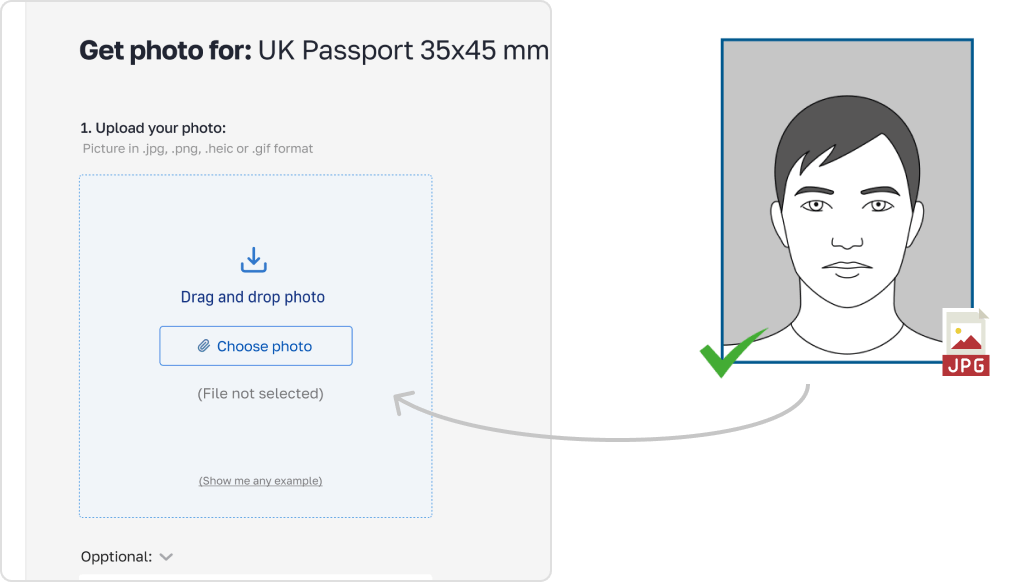
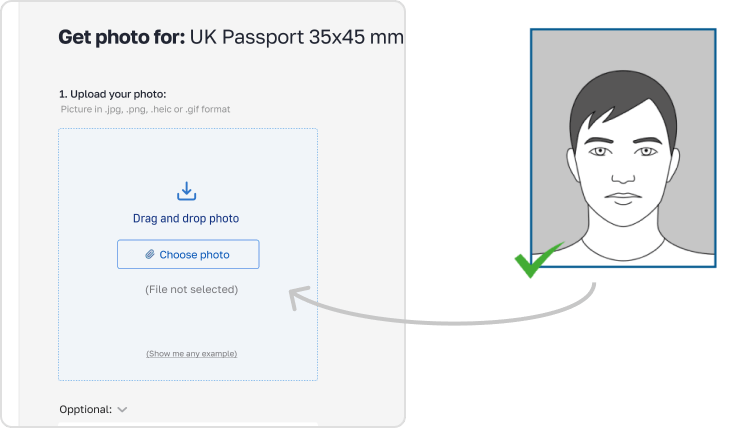
3. Receive your Passport Photo
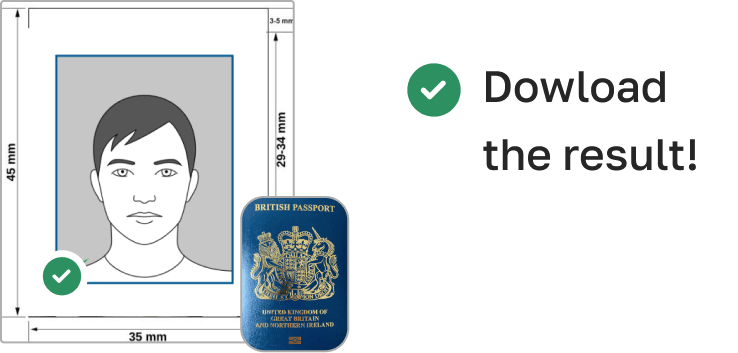
Finally, you can download your ID photo. These images can be printed off, or you can simply use them as digital photos.
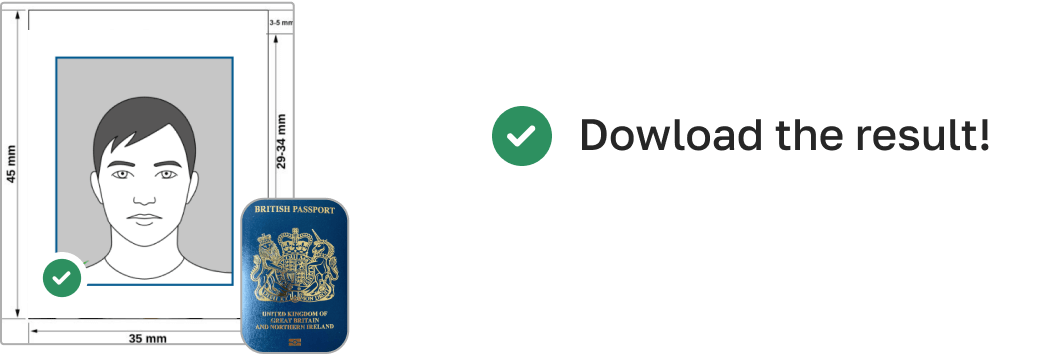
How to take Austria Passport photos for babies and kids

When taking pictures of babies and children for passport, many of the same rules apply; for example, they must still adhere to the dress code, and the photograph must be high-quality and well-lit. With that being said, the State Department is generally more forgiving when it comes to the neutral expression requirement.
- If you are photographing a newborn:
- Spread a white sheet out over the floor.
- Place the baby down on the sheet and take their photograph against it.
For slightly older babies:
- Prop them up in a child’s chair against a white sheet.
- If they are still unable to hold up their head, prop it up for them using a hand behind the sheet. Ensure no one else is visible in the shot.
Additional Compliance Tips
No Retouching – Do not use filters or any apps that change’s ones facial features
Sharpness – Make sure the image is not blurry or pixelated
Face Coverage – Your face should take up 70-80% of the photo height
File Format & Size – JPEG or PNG. Less than 1 MB for digital submission
Common Mistakes to Avoid
Using the wrong size (e.g. passport instead of 35x45 mm)
Sporting any glasses or head coverings that obscure your face (unless your religion or a medical issue requires you to)
Misusing blurry, low-quality, or overexposed photos
Backgrounds with shadows, patterns, or objects
These problems will be identified and corrected as part of the flow of the PhotoGov application
Submission & Printing
For Submission In-Person: Print Your Photo on Photo Paper. High Quality Matte or Glossy Finish Paper Only, Size 35x45 mm (3.5x4. 5 cm)
For Digital Submission: You should also submit a digital picture of yours in the Austria visa application portal or consulate system. Make sure it is within the size and resolution guidelines
Frequently Asked Questions
Other documents for the Austria

Rédigé par Olia Potiagaeva, rédactrice en chef Relu par l' équipe éditoriale de PhotoGov ★ 4.8 / 5.0 Google Vérifié auprès de Austria
Nouvelle prise gratuite ou remboursement intégral
Si votre photo est refusée en raison d'une erreur de notre part.
→ Politique de remboursementVérifié selon 8 paramètres officiels
Chaque fichier est validé avant le téléchargement.
→ Contrôle de conformitéExigences revérifiées toutes les 8 semaines
Par rapport aux spécifications de Austria, afin que le modèle ne soit jamais dépassé. Dernière vérification : 12.10.2026.
→ Sources gouvernementales officiellesSur cette page :
- Get photo for: Austria Passport 35x45 mm (3.5x4.5 cm)
- Tips for Your Austria Passport Photo
- How to Take Your Austria Passport Photo – Step by Step Step
- Appearance Guidelines
- Austrian Passports Passport Photo Requirements
- Example photos:
- How to take your own Austria Passport photo
- How to take Austria Passport photos for babies and kids
- Additional Compliance Tips
- Common Mistakes to Avoid
- Frequently Asked Questions
PhotoGov.net respecte strictement la réglementation mondiale des photos d'identité.
Autres documents — photos d'identité pour Austria
Austria
5 doc.